Reviewing a mix is so much easier when you can hear the parts.
Today we're shipping Stems: upload the separated tracks behind a version and play them back right inside Concerto, complete with a built-in mixer.
Upload your stems
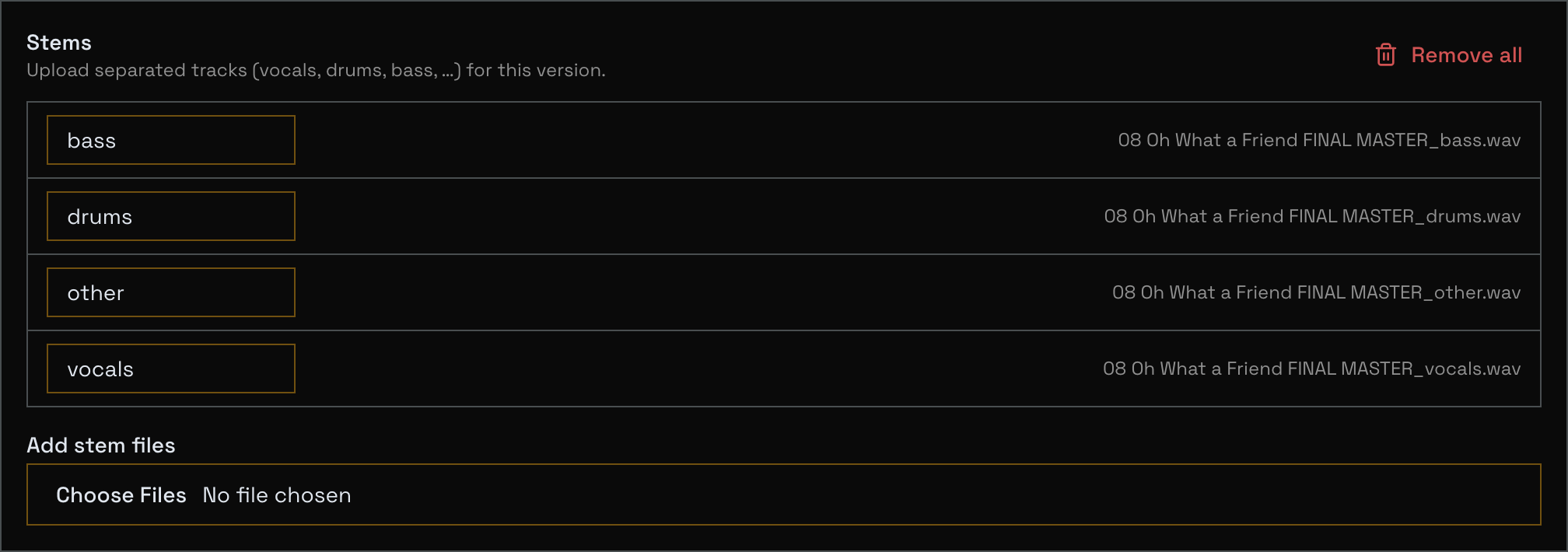
On any version you can edit, open the edit panel and you'll find a new Stems section below your notes.
Add your stem files (vocals, drums, bass, guitars, whatever you've got), give each one a label, and upload.
Concerto suggests sensible labels from the filename, and you can rename a stem any time.
You can also attach stems while uploading a new version, so everything lands together.
Play and mix in the browser
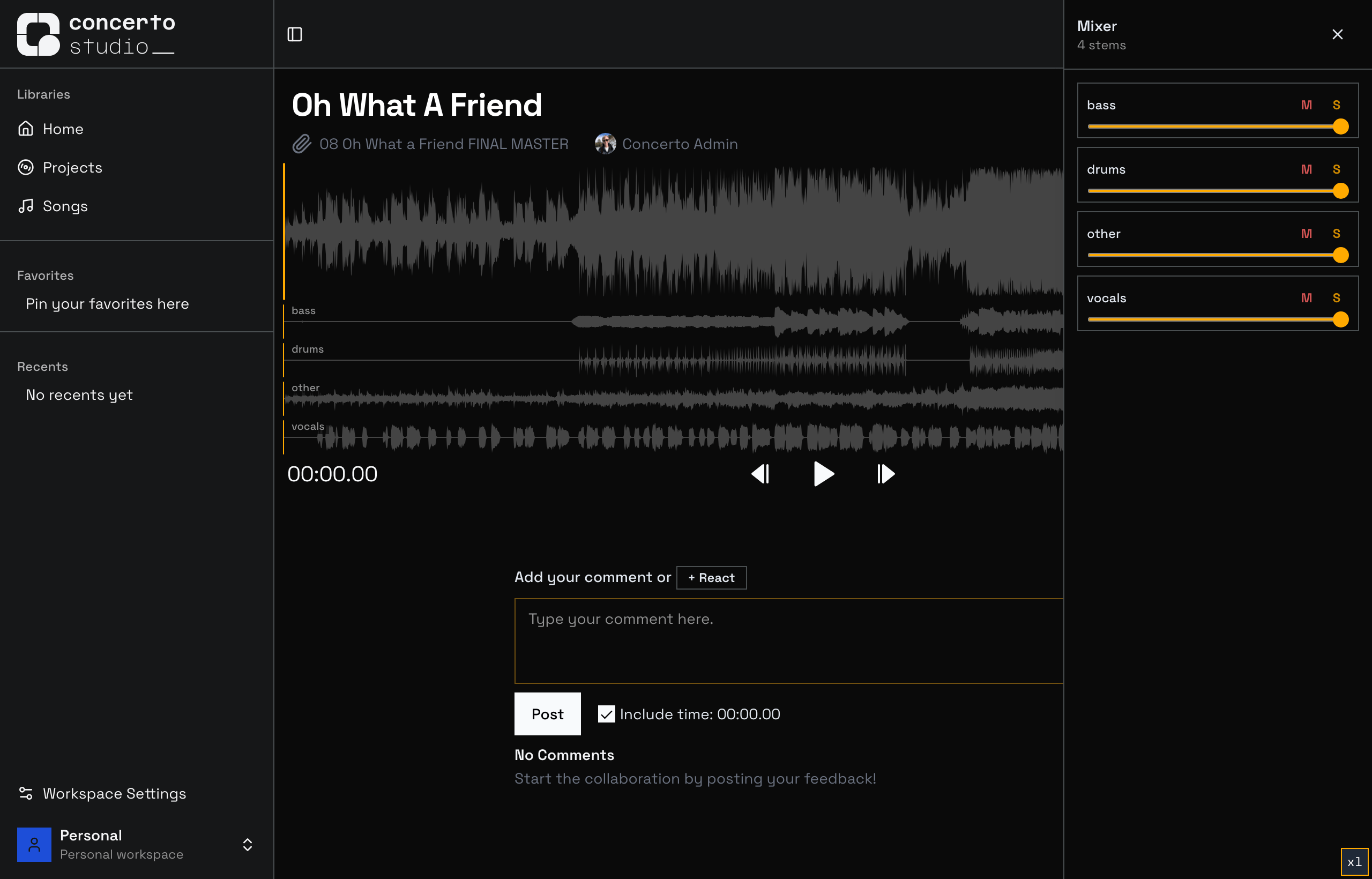
When a version has stems, they appear as stacked waveforms right under the main track, perfectly aligned to the playhead.
Hit play and you'll hear the stems mixed together.
Pop open the Mixer for per-stem Mute, Solo, and Level controls: solo the vocal to check a comp, drop the drums to hear the bed, or build your own balance while you leave your feedback.
Who gets it
Uploading stems is part of any Ensemble workspace: it's a logical fit next to other premium tools like Version Comparison, and the uploaded files are not counted in your upload quota.
Any viewers can play and mix stems, so your collaborators and clients get the full experience without needing a subscription.
This is just the first movement.
We're already working on automatic stem separation so you can split a track into its stems with a single upload... stay tuned.
Happy mixing,
The Concerto Team