Changelog
Stay up to date with the latest features, improvements, and fixes.
Hey collaborators!
The free plan used to cap you at 50 uploads, which meant deleting old bounces just to keep working. Starting today, plans are built around storage instead, and there's a new plan for when you need more room.
Storage, Not File Counts
Every plan now comes with storage instead of an upload count. Upload as many versions and stems as you like, as long as they fit.
Solo (free): 5 GB of storage and 1 editor.
Ensemble ($12/mo or $120/yr): 250 GB of storage and 5 editors, plus stem uploads, automatic stem separation, and version comparison.
Symphony ($29/mo or $290/yr): everything in Ensemble, with 1 TB of storage and 15 editors.
Every plan includes unlimited reviewers, and annual billing is two months free.
Deleting a version or a stem frees its space straight away, so you're never stuck at your limit. You can see how much you're using on the Subscription page in Settings.
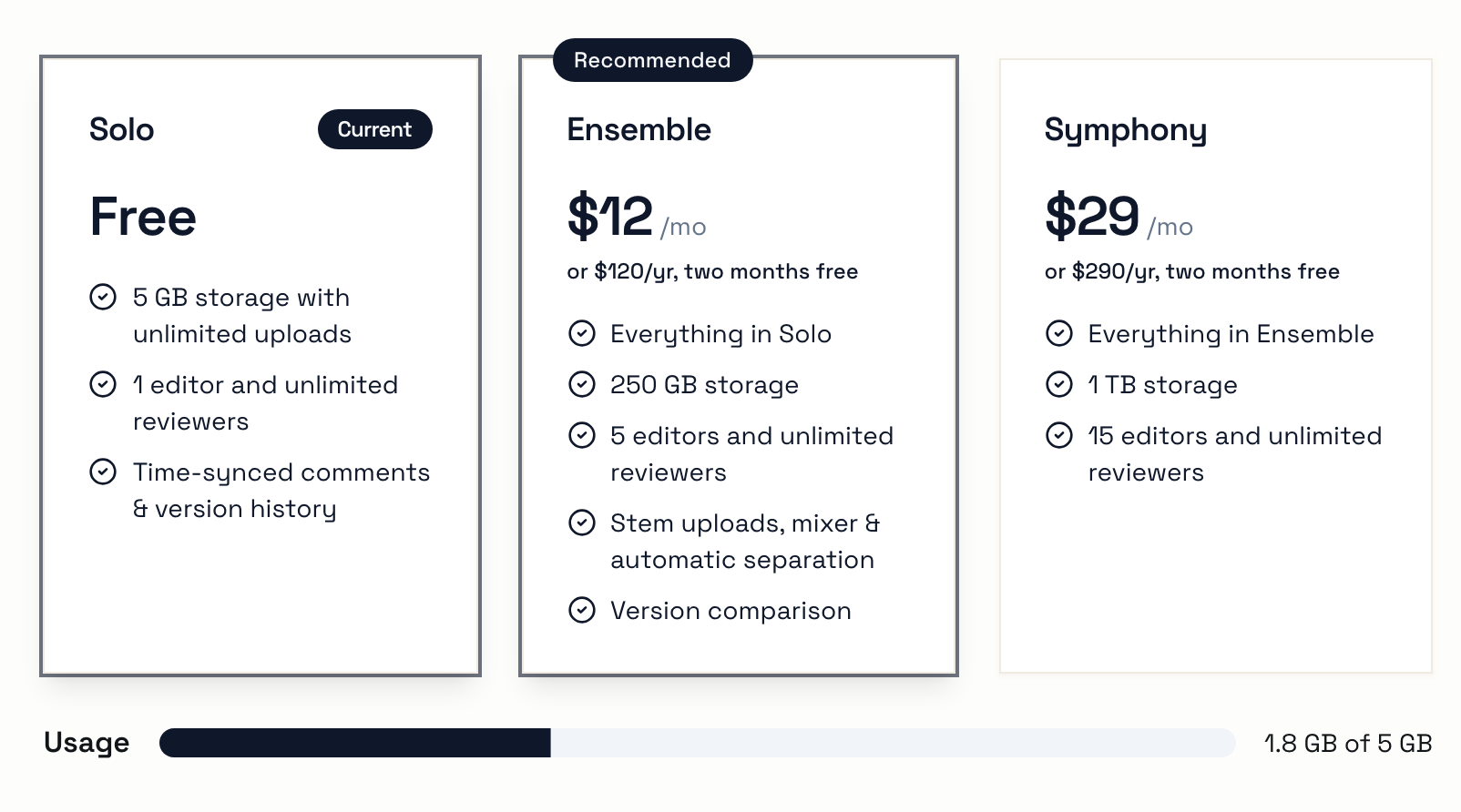
If your workspace is already over its storage, nothing goes anywhere. Everything stays playable and shareable; new uploads just pause until you clear some space or upgrade.

Editors and Reviewers
Plans now count editors: the people who upload versions, manage songs, and run stem separation.
Reviewers are free and unlimited on every plan. Anyone who only listens and comments never takes up a seat, and never needs to pay for anything.
Meet Symphony
Need more room? Symphony gives you four times Ensemble's storage and three times the editors for $29 a month: 1 TB and fifteen editors, for less than three Ensemble workspaces would cost.
Already Subscribed?
If you're paying for Ensemble today, nothing about your bill changes. You keep your current price for as long as you stay subscribed, with unlimited editors and 1 TB of storage. Thanks for backing Concerto early.
As always, let us know what you think - especially if a limit gets in your way.
Happy Creating,
The Concerto Team
Hey collaborators!
Not everyone you send music to has a Concerto account (yet). Mastering engineers, label folks, the bandmate who refuses to make one more login - sometimes you just need to send a link that plays. Now you can, with public links.
Turning Them On
Public links are off by default, so nothing in your workspace becomes public until you decide it should. There are two switches. First, a workspace admin turns them on in Workspace Settings with the switch on the Public Links card.

Then each project gets its own say. A project admin opens the project's Share menu and flips on Public links. Until they do, nobody can make links to anything in that project, editors included.
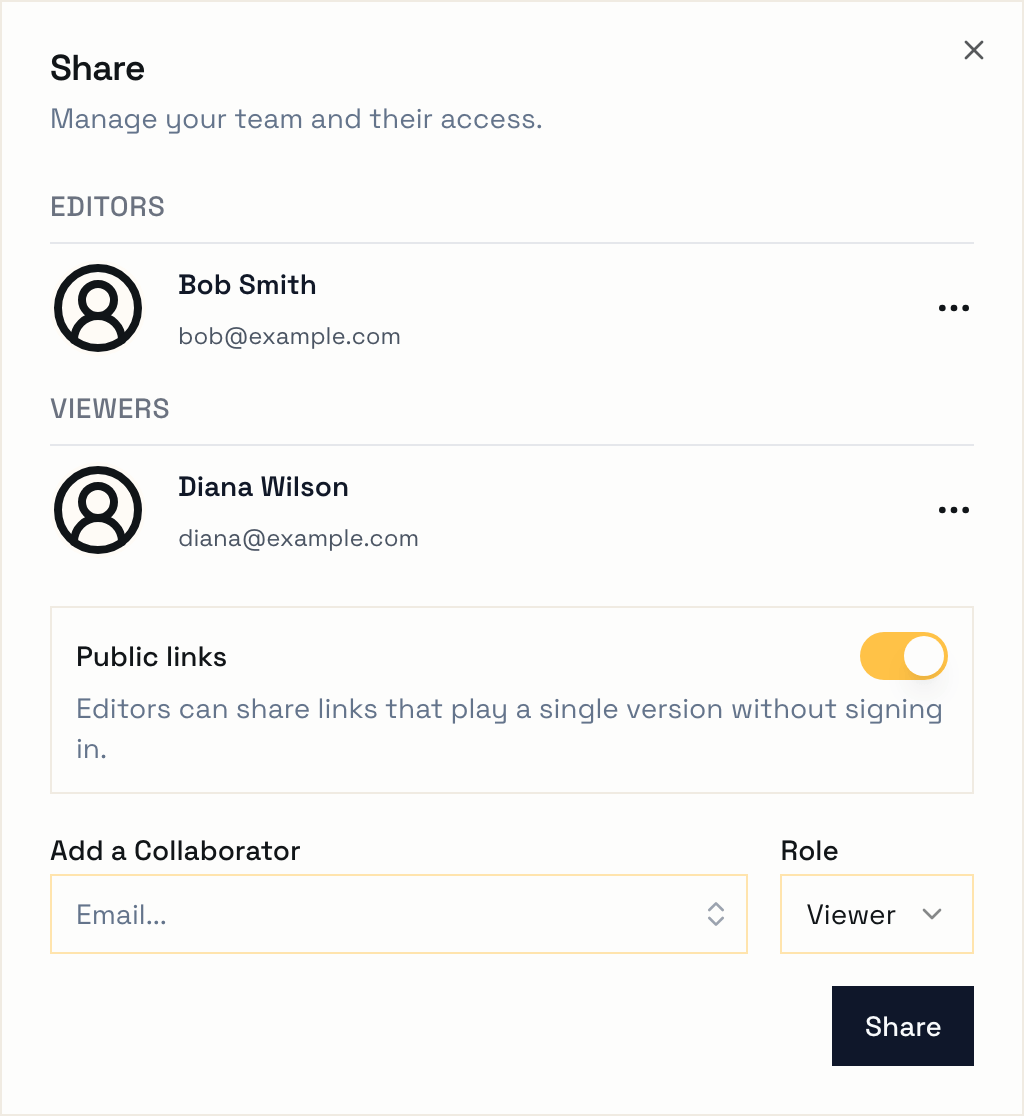
If you turn either one off later, every public link under it stops working. Turn it back on and they all work again, same URLs and all.
Making a Link
Once public links are on for the project, open any version you can edit and click the link icon at the top of the page, next to the pencil. Hit Create link, copy it, and send it wherever you want.
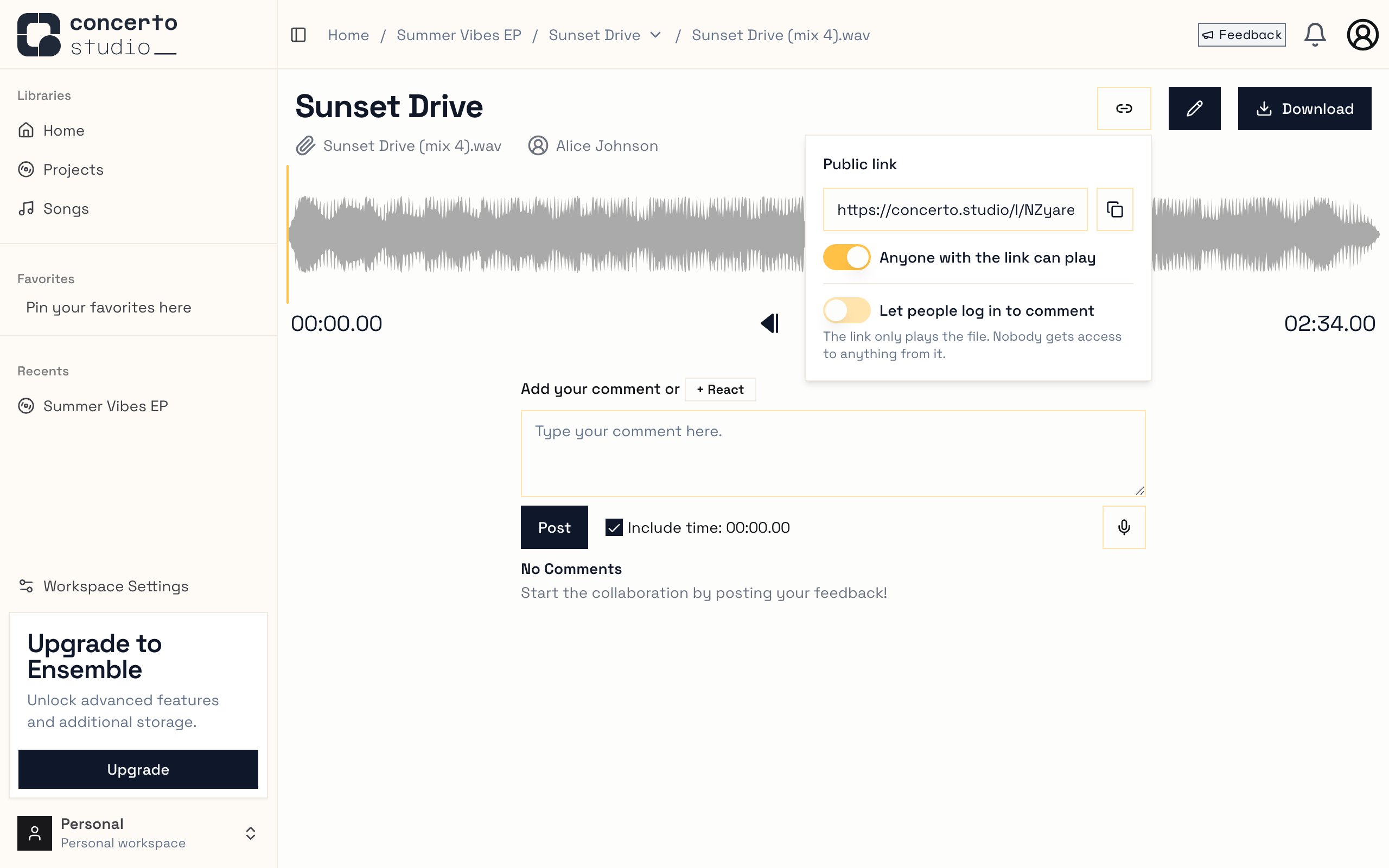
Each version gets one link, and its URL never changes. Want to stop sharing? Flip the switch in that same menu and the link stops working. Flip it back on and the same link works again.
Links point at a single version, not the whole song. When you upload mix 5, the link you already sent still plays mix 4 - just make a new link for the new version.
What They See
Whoever opens the link gets the song name, the version underneath it, and a player. No account, no login screen. We expect most of these links to get opened on phones, so the player fills the screen and you can tap or drag along the waveform to jump around the track.
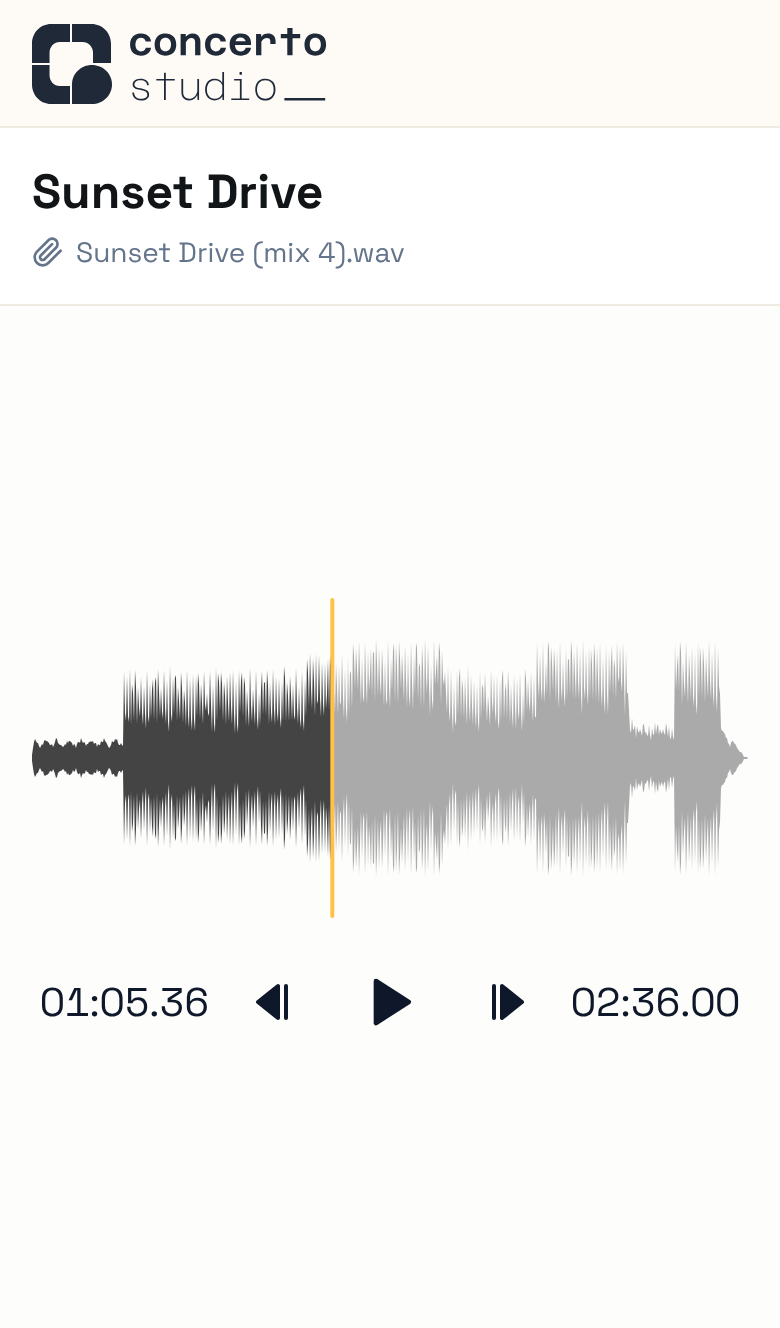
When you paste a link into a chat, the preview shows the song and version instead of a generic Concerto card.
Logging In From a Link
By default a public link just plays the file. Nobody gets added to anything, so you never end up with surprise guests on your song.
If you do want feedback from someone, a project admin can flip on Let people log in to comment in the link menu. Then anyone with a Concerto account who opens your link can click Open in Concerto (or log in first) to see the file in the full app, and leave timestamped comments and reactions just like the rest of your team.
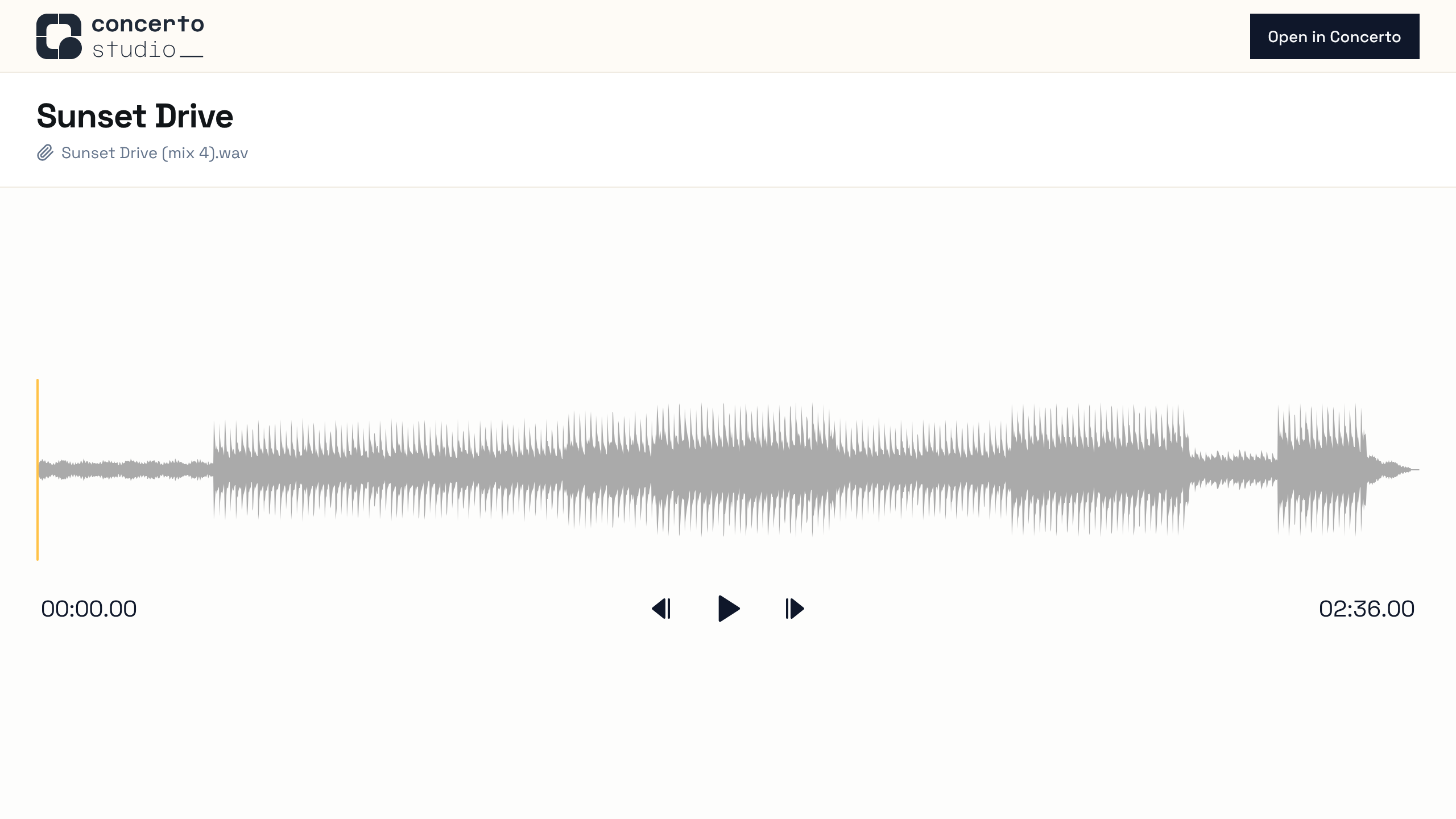
This only gives them access to that one version. They can't see the rest of the song, its other versions, or the comments on them. Keep in mind that they keep that access even if you turn the link (or the switch) off later.
If you're already on the team, the link skips all of this and takes you straight to the version.
Other Changes
- The play and skip buttons in the player are bigger and easier to hit on your phone, and screen readers can now tell what they are.
As always, let us know what you think - especially if you find a sharp edge.
Happy Creating,
The Concerto Team
Reviewing a mix is so much easier when you can hear the parts.
Today we're shipping Stems: upload the separated tracks behind a version and play them back right inside Concerto, complete with a built-in mixer.
Upload your stems
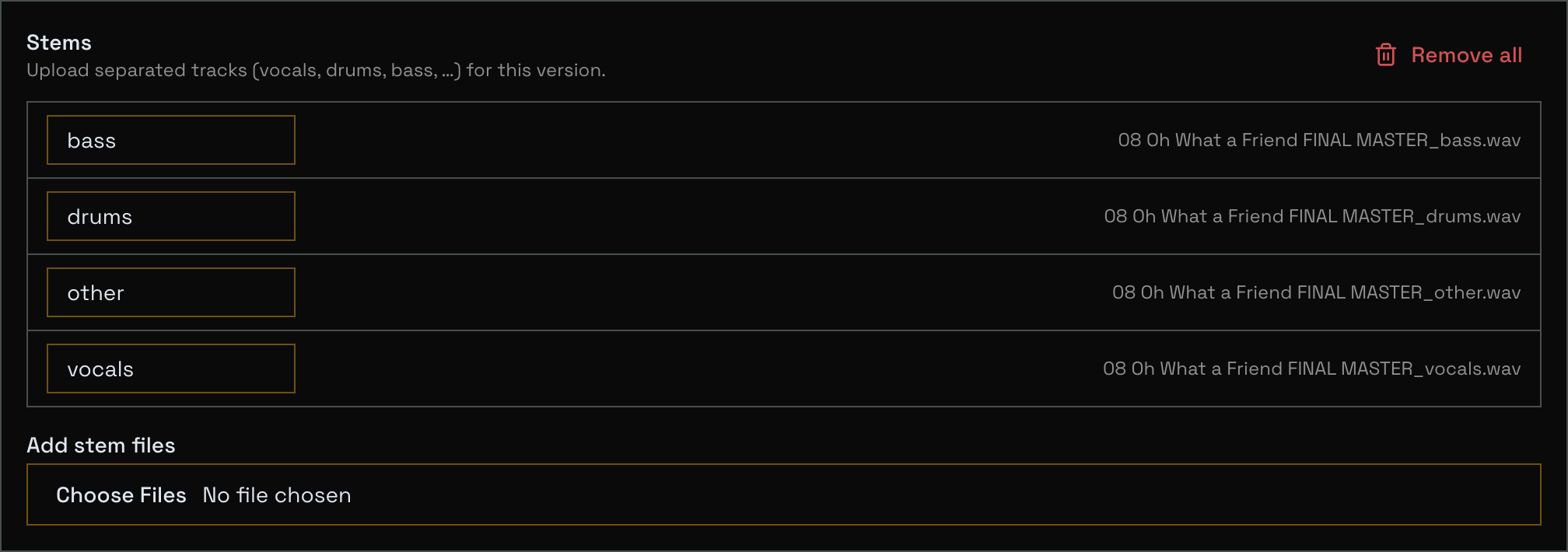
On any version you can edit, open the edit panel and you'll find a new Stems section below your notes.
Add your stem files (vocals, drums, bass, guitars, whatever you've got), give each one a label, and upload.
Concerto suggests sensible labels from the filename, and you can rename a stem any time.
You can also attach stems while uploading a new version, so everything lands together.
Play and mix in the browser
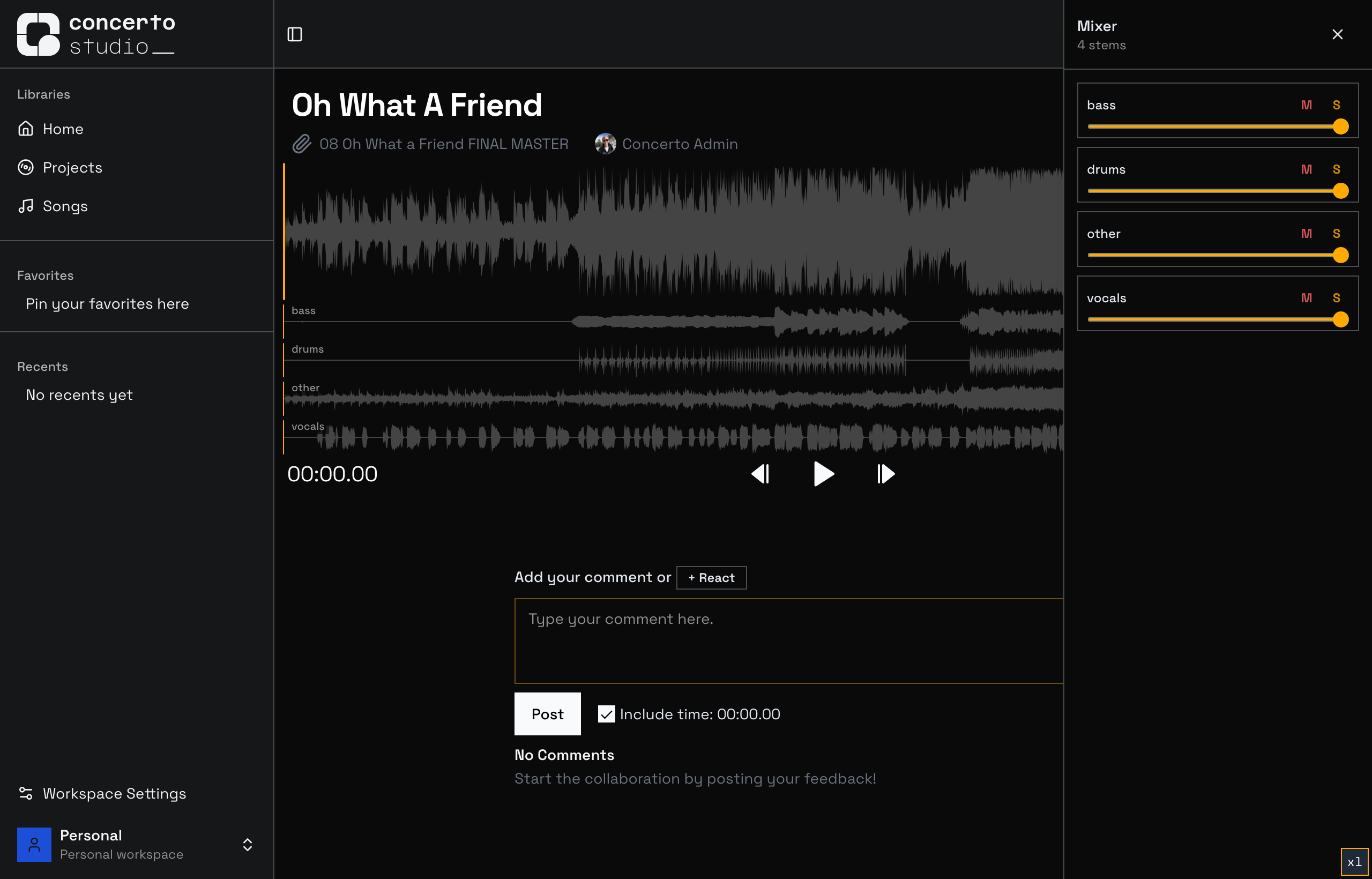
When a version has stems, they appear as stacked waveforms right under the main track, perfectly aligned to the playhead.
Hit play and you'll hear the stems mixed together.
Pop open the Mixer for per-stem Mute, Solo, and Level controls: solo the vocal to check a comp, drop the drums to hear the bed, or build your own balance while you leave your feedback.
Who gets it
Uploading stems is part of any Ensemble workspace: it's a logical fit next to other premium tools like Version Comparison, and the uploaded files are not counted in your upload quota.
Any viewers can play and mix stems, so your collaborators and clients get the full experience without needing a subscription.
This is just the first movement.
We're already working on automatic stem separation so you can split a track into its stems with a single upload... stay tuned.
Happy mixing,
The Concerto Team
We've completely redesigned how notifications work in Concerto.
Besides future improvements, here are the new features immediately available to you:
Choose What Matters to You
Instead of a single on/off switch, you can now customize notifications for each type of event:
New comments on your songs
Comment replies to conversations you're part of
Sharing notifications when someone shares a project, song, or version with you
New versions uploaded by collaborators
Feedback responses from the Concerto team
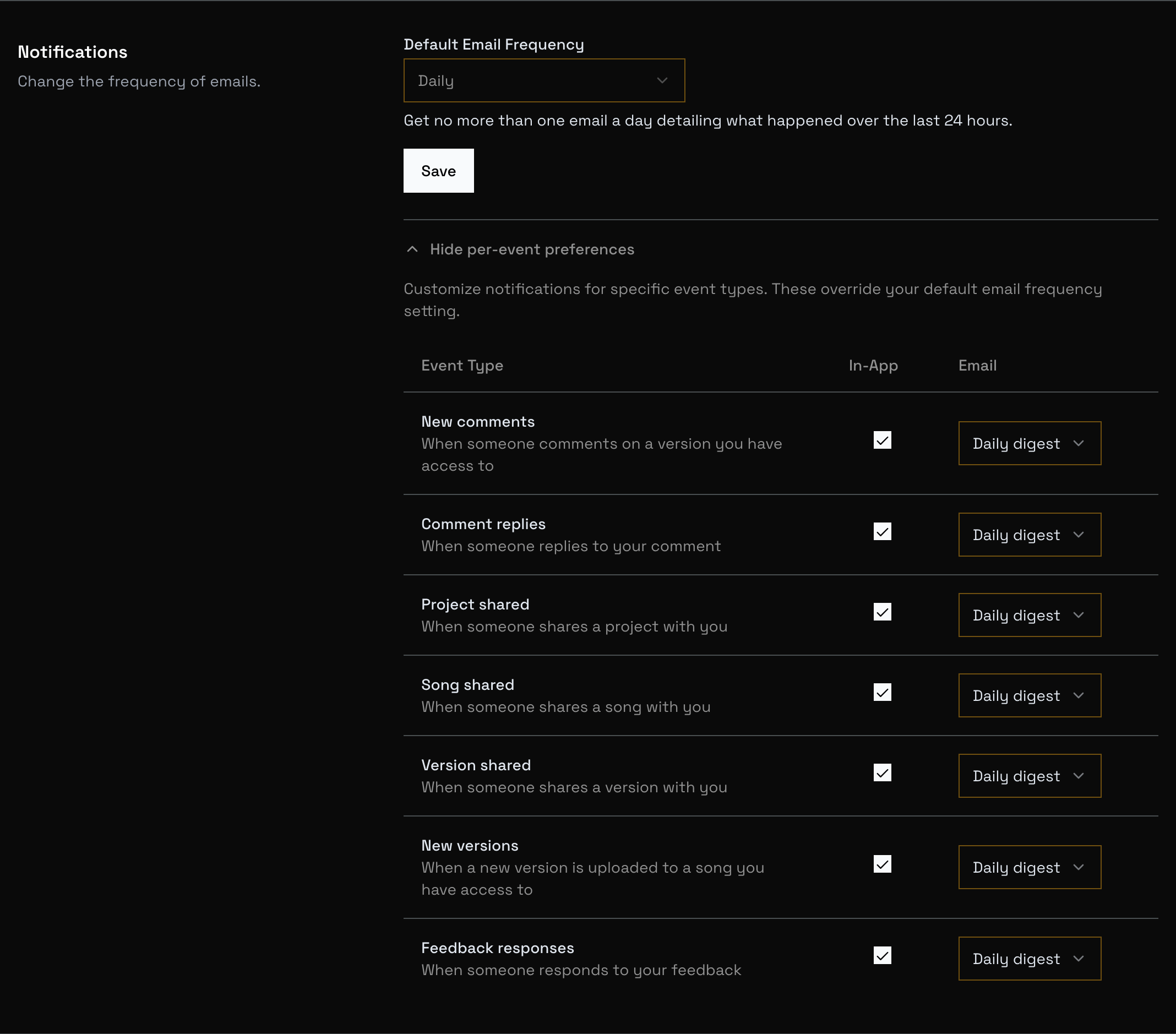
For each event type, you can independently control:
In-app notifications: toggle on or off
Email frequency: choose between immediate, daily digest, or never
Your per-event settings override your default email frequency, so you can get instant emails for comment replies while batching everything else into a daily digest.
Head to Settings to customize your preferences.
Other Recent Improvements
Fixed waveform not clearing when switching between tracks on the project page
Song lists on project pages no longer paginate unnecessarily
Fixed deleting song attachments
Added scrollbars to large dialogs that were getting cut off
Mobile file player tweaks
Better error handling throughout the app
Happy creating,
The Concerto Team
We've completely reworked how Concerto shows loading progress when opening audio files.
Know What's Happening
Previously, the loading indicator would disappear during decoding and rendering phases, leaving you wondering if the waveform was still loading — especially for large files.
Now you'll see exactly what Concerto is doing at every step:
Downloading audio... — fetching the file with a progress bar
Decoding audio... — processing the audio data
Rendering waveform... — drawing the visualization
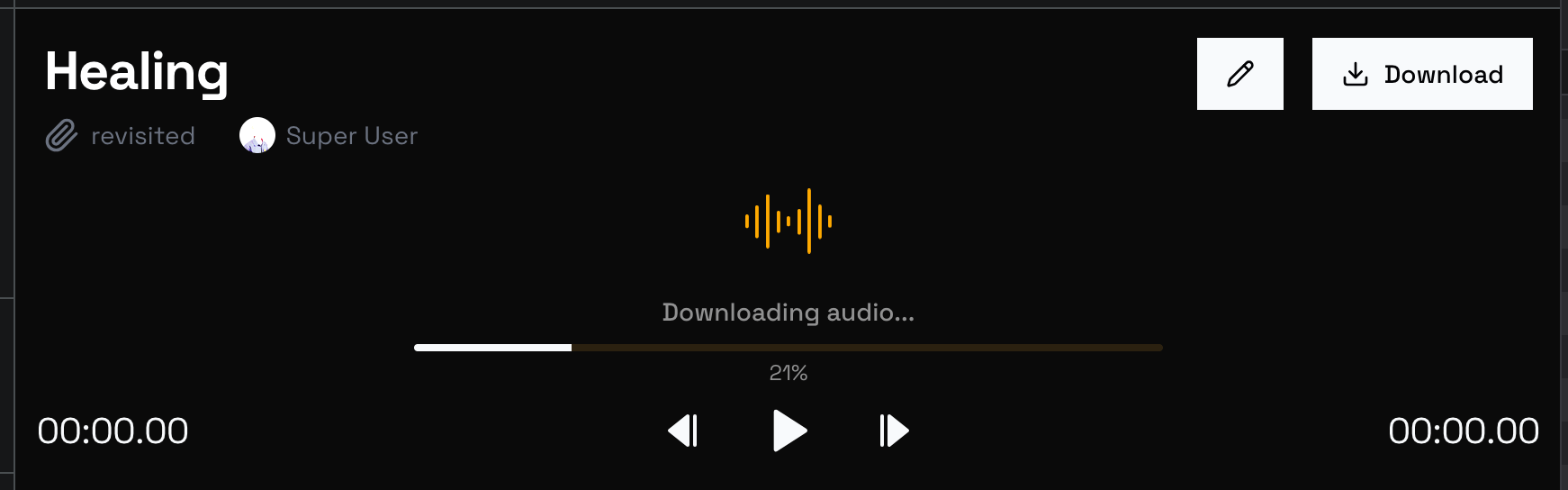
The animated waveform icon keeps you informed that things are still working, even during phases where we can't show percentage progress.
No More Mystery Waits
Large files can take time to decode and render. With the new phase-specific feedback, you'll always know that Concerto is working — no more wondering if something froze!
Happy creating,
The Concerto Team
Keep track of what needs to be done and close the loop on feedback with our powerful new task management features!
Song Todo Lists
Every song now has its own todo list! Create tasks, track progress, and mark items complete as you work through your project.
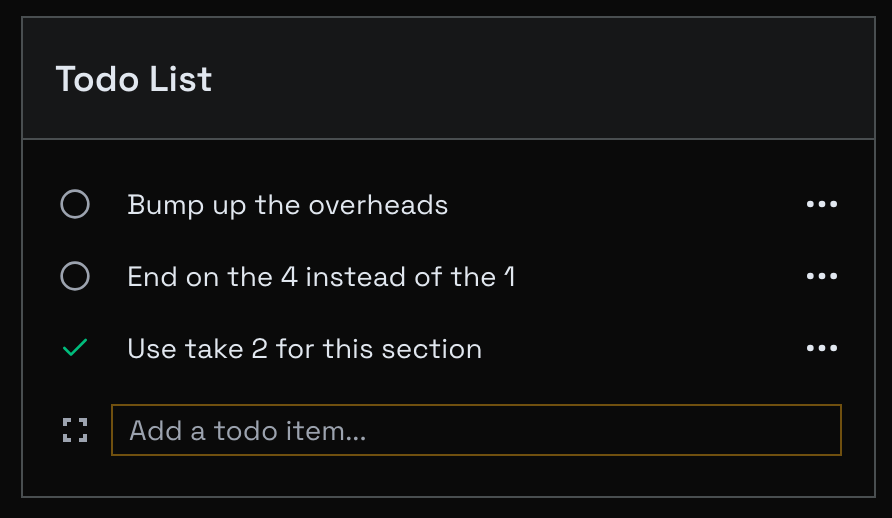
Click on a todo item to edit it, or use the status indicator to cycle through states:
Open (circle) - Work to be done
Resolved (check, gray) - Addressed but not verified
Done (check, green) - Completed and verified
Won't Do (X) - Decided not to pursue
Todo lists are only visible to Editors and Owners, making them perfect for internal project management. Find them on any song page, right below the attachments.
You can also create todos directly from comments! Click the menu button on any comment and select "Create Todo" to instantly convert feedback into an actionable task.
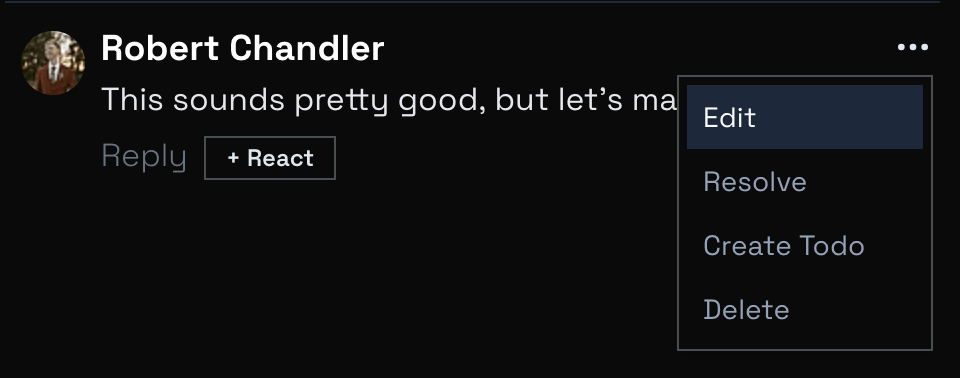
Comment Resolution
Comments can now be resolved! This helps keep your feedback organized and makes it easy to see what still needs attention.
When replying to a comment, you can now resolve it at the same time using the dropdown next to the Reply button.
Perfect for closing the loop on feedback: "Fixed this, marking as done!"
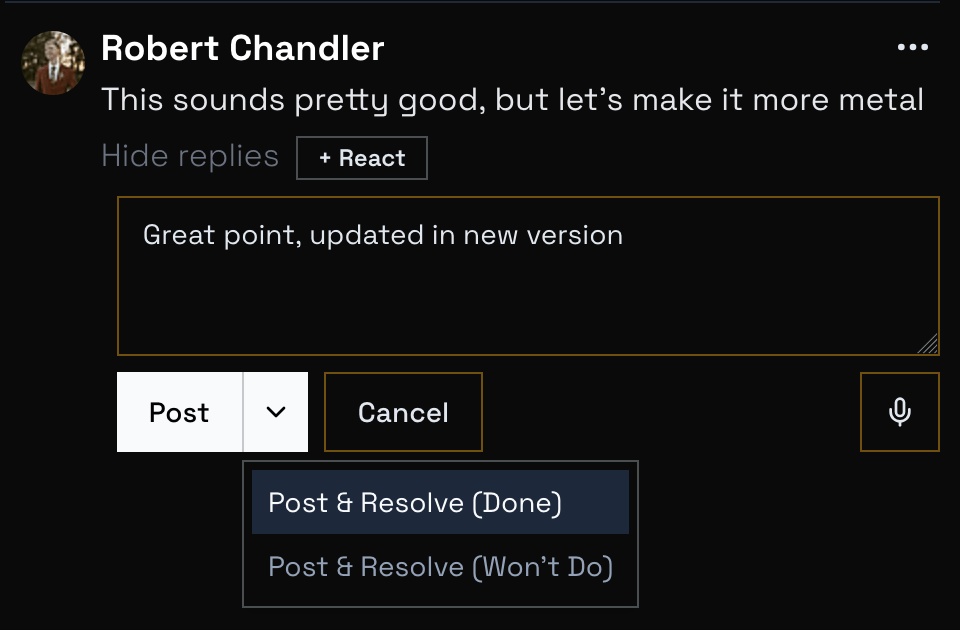
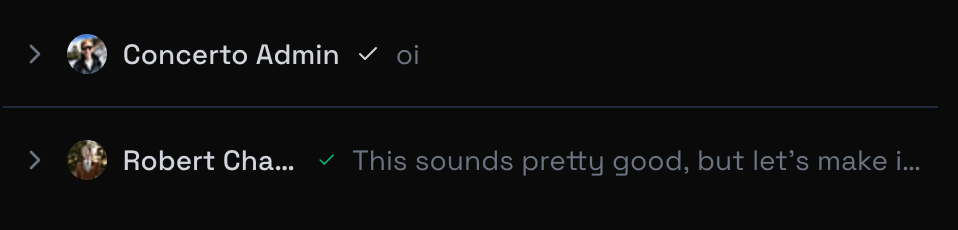
Resolved comments automatically collapse to a single line, showing just the author, status, and a preview.
Click the arrow to expand and see the full comment when you need it.
If you created a comment from a todo, it will automatically be marked as resolved when you mark the todo as done, and vice versa.
Smart Version Upload
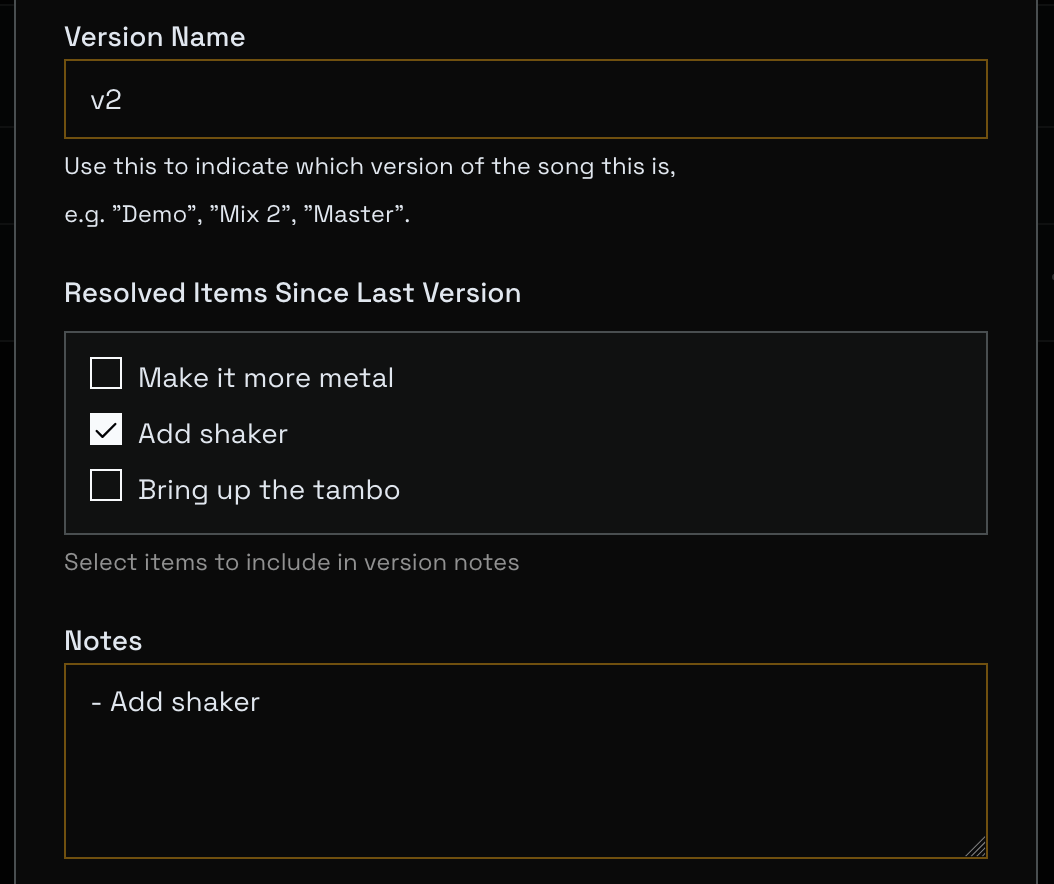
The upload modal now shows you recently resolved todos — items marked resolved or done since your last version upload. Check the boxes to reference which tasks this version addresses, and add notes about what changed.
This makes it easy to communicate progress to your collaborators and keep everyone aligned on what's changing between versions.
Stay Organized
These features work together to help you move from feedback to finished work:
Create todos from your feedback and brainstorming sessions
Upload new versions and mark which todos they address
Resolve comments as you implement the feedback
Keep your workspace clean by collapsing resolved discussions
We're excited to see how these tools help you stay organized and ship better music!
Happy creating,
The Concerto Team
We’ve brought feedback fully in‑house to make it faster and easier for you to share ideas and for us to respond.
In‑App Feedback Modal
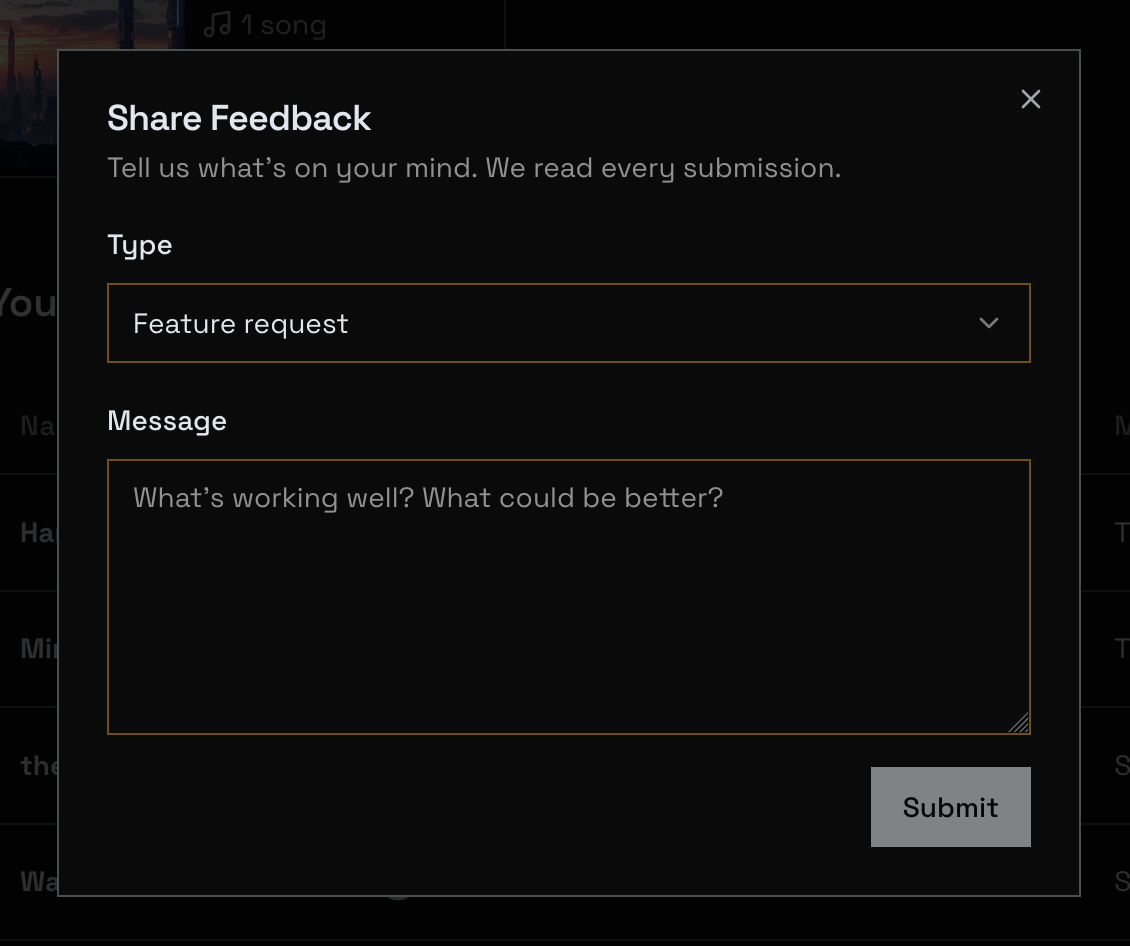
Click the “Feedback” badge in the top bar to submit thoughts without leaving Concerto.
Choose a type (Feature Request, Bug Report, Support, Encouragement, Other) and add details.
Clear, Actionable Notifications
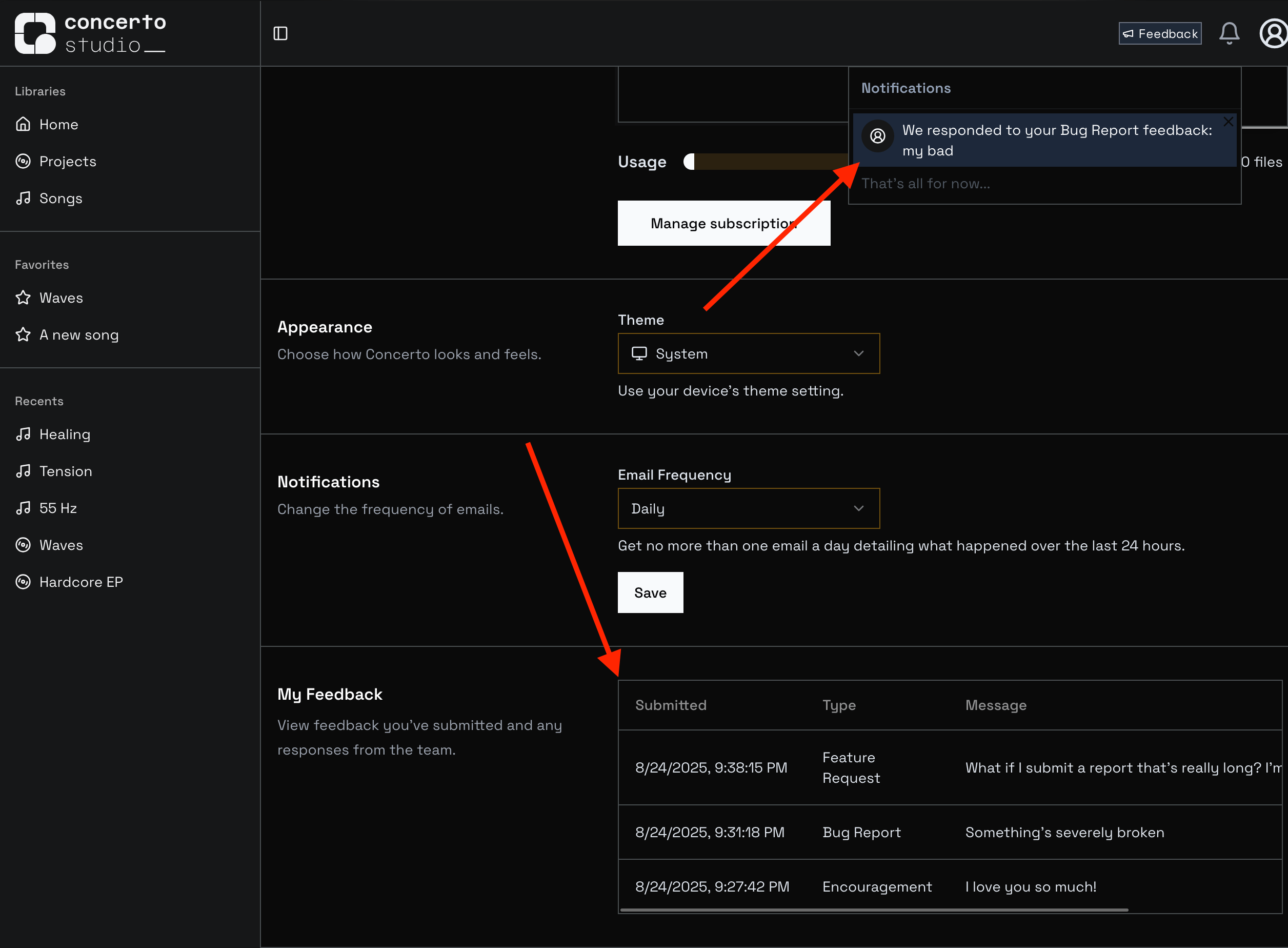
When an admin responds or resolves your feedback, you’ll get a concise in‑app notification with context (including a short snippet when there’s a reply), so you know what changed at a glance.
You can also see everything you’ve submitted under Settings → My Feedback.
Click any item to view the full message, status, and any admin response.
We’re excited to make feedback faster and more transparent — keep it coming!
Happy creating,
The Concerto Team
P.S. Of course, if you have Robert's number, you can always reach out to him directly 😎
Hello everyone!
Thanks for your feedback on Concerto over the last few months.
We've been hard at work making it easier than ever to share and collaborate on your latest projects. Take a look at what's new:
Google Sign-In
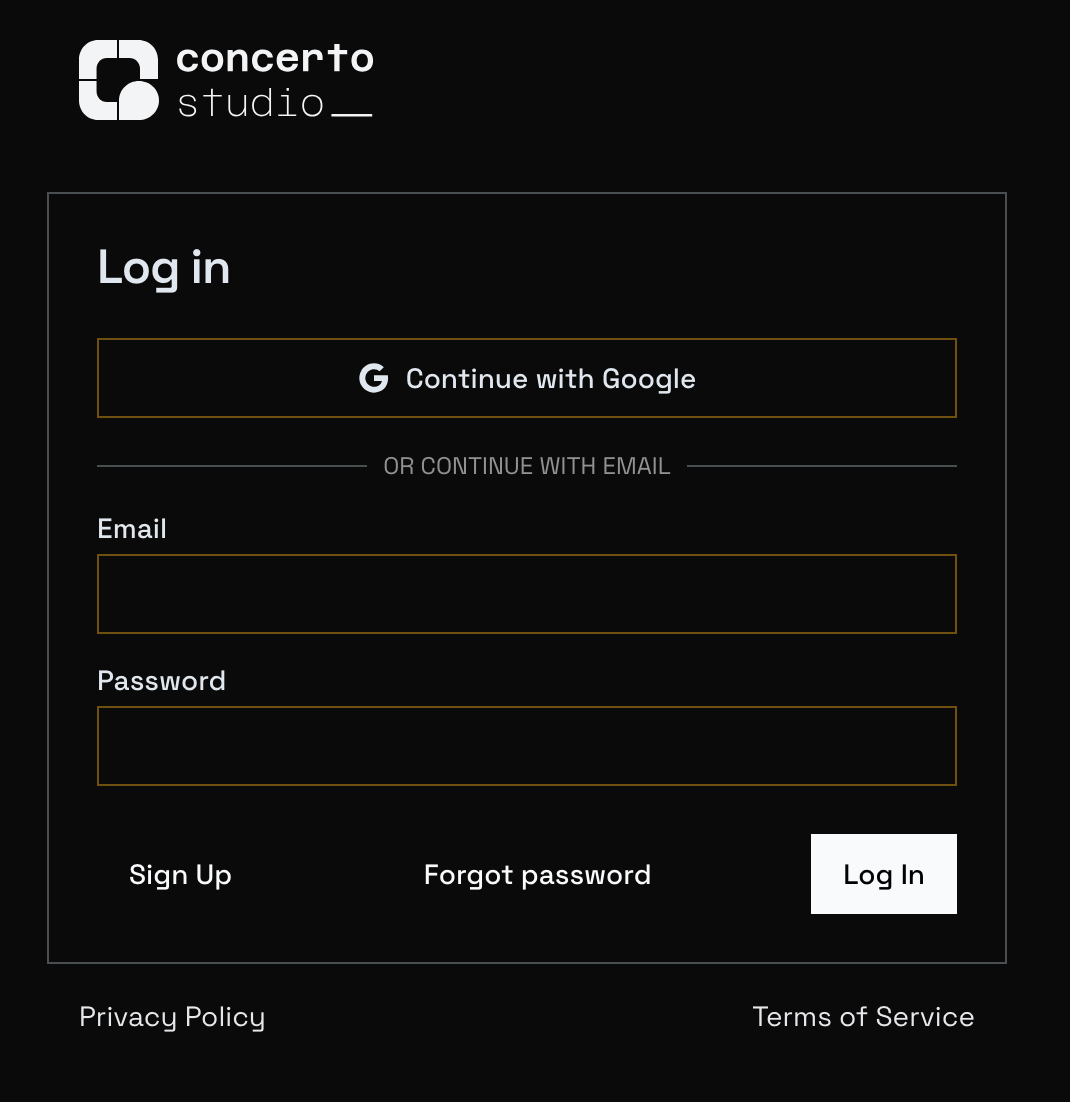
You can now sign up with your Google account or link your existing Concerto account with your Google account for easier sign-in. If your email address matches your google account email, just click "Continue with Google" on the Sign-in page.
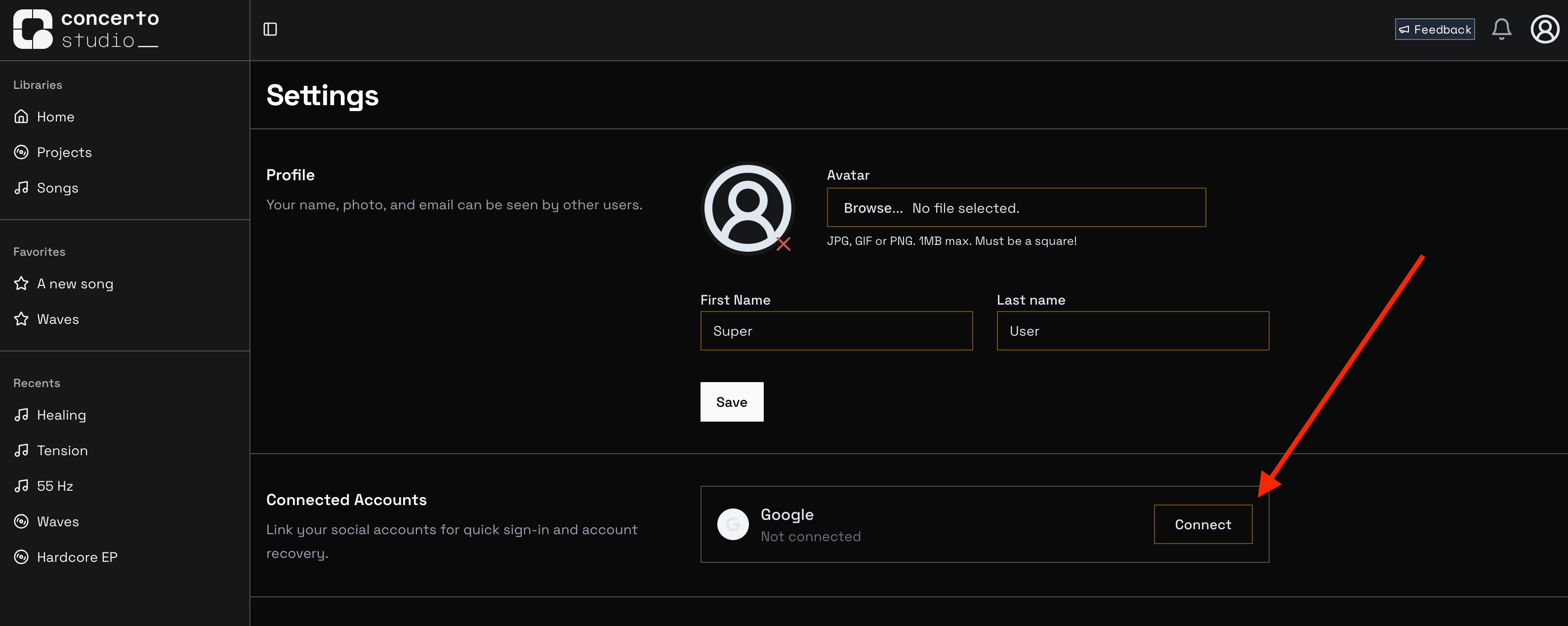
If not, you can still connect by logging in to Concerto, navigating to Settings, and clicking Connect next to Google in Connected Accounts.
Fewer Login Prompts
As part of integrating with Google, we also increased the lifetime of our authentication tokens. You can now stay logged in to Concerto for 7 days before logging in again!
Comment Sorting
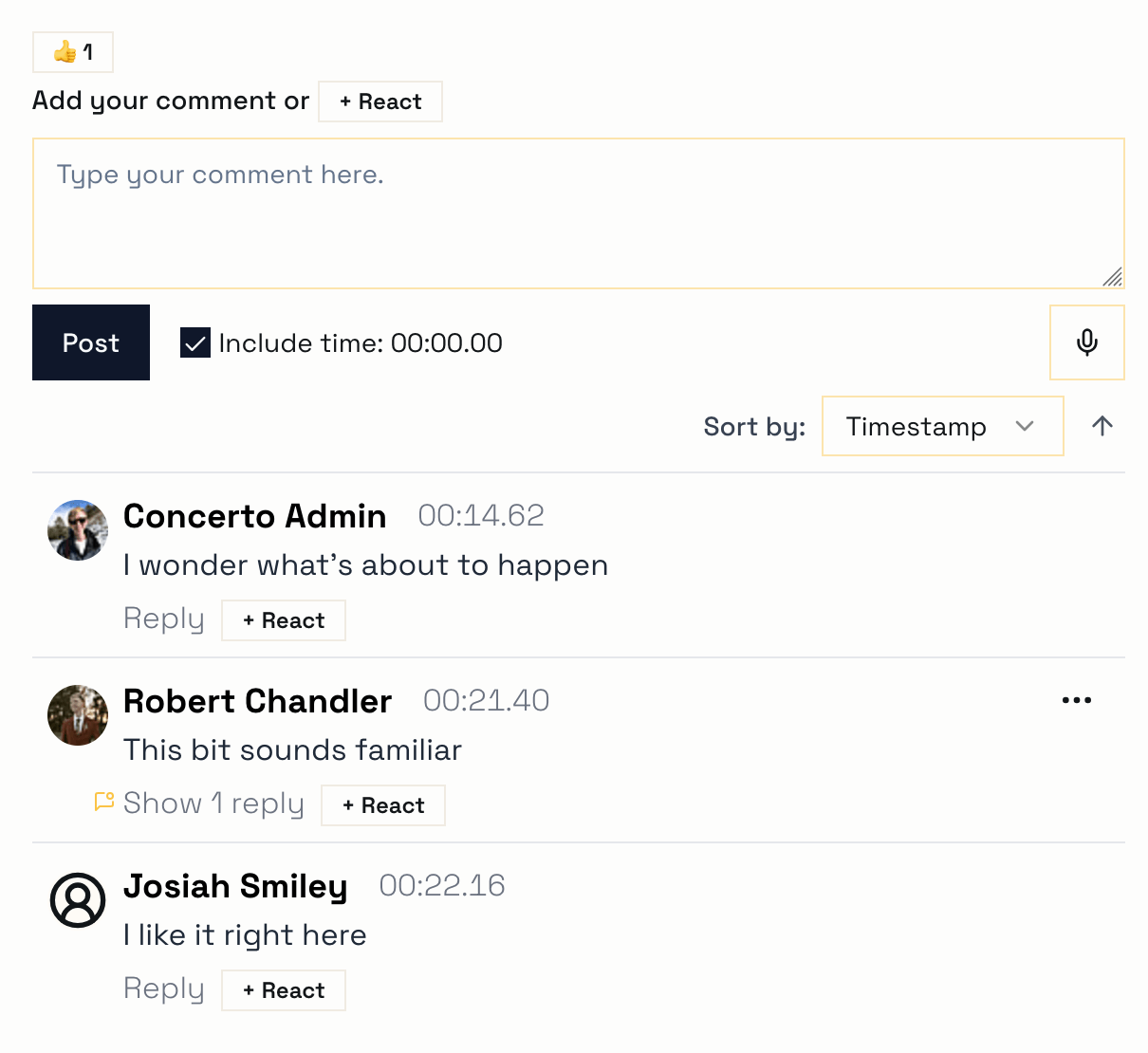
Comments can now be sorted by their timestamp in the file, rather than when they were created. You can also choose to sort them in reverse, for example to get the most recent comments at the top.
Version Comparison
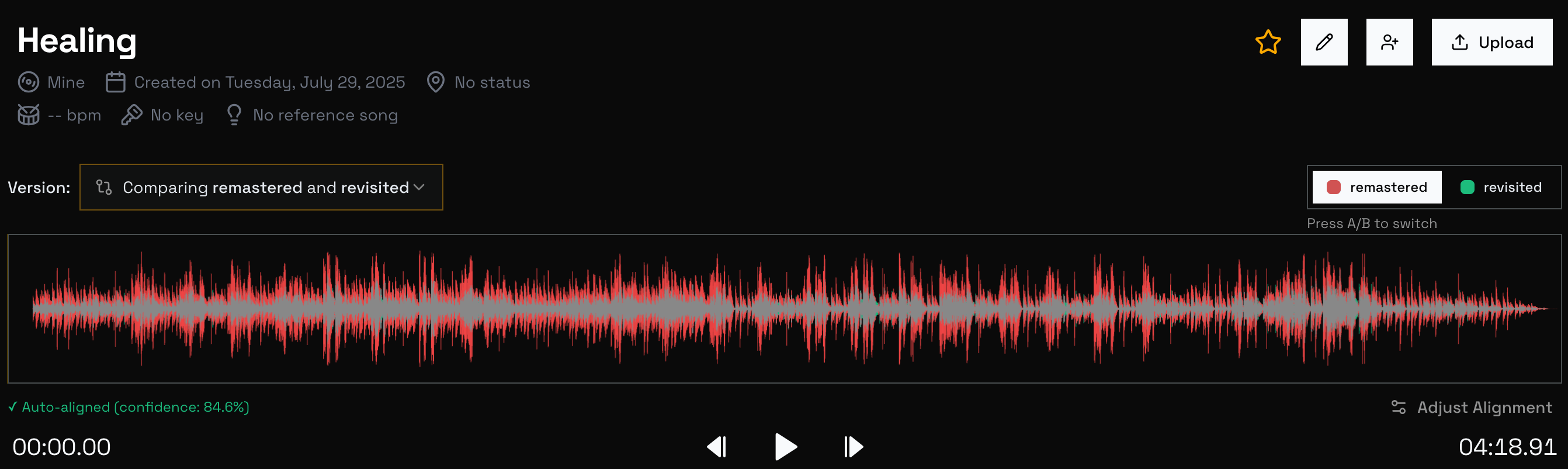
As the first Ensemble-Only feature, the Song page now features version comparison tool. Use this to visually identify sections of the song that have been changed between revisions, and quickly swap audio between versions to hear the differences.
Voice Memos
Need to sing a part or demonstrate a rhythm? You can now include audio in your comments! Click the microphone icon below the comment text box to start recording, and again to stop. Type your comment and submit, and other users can listen to your audio when reviewing comments.
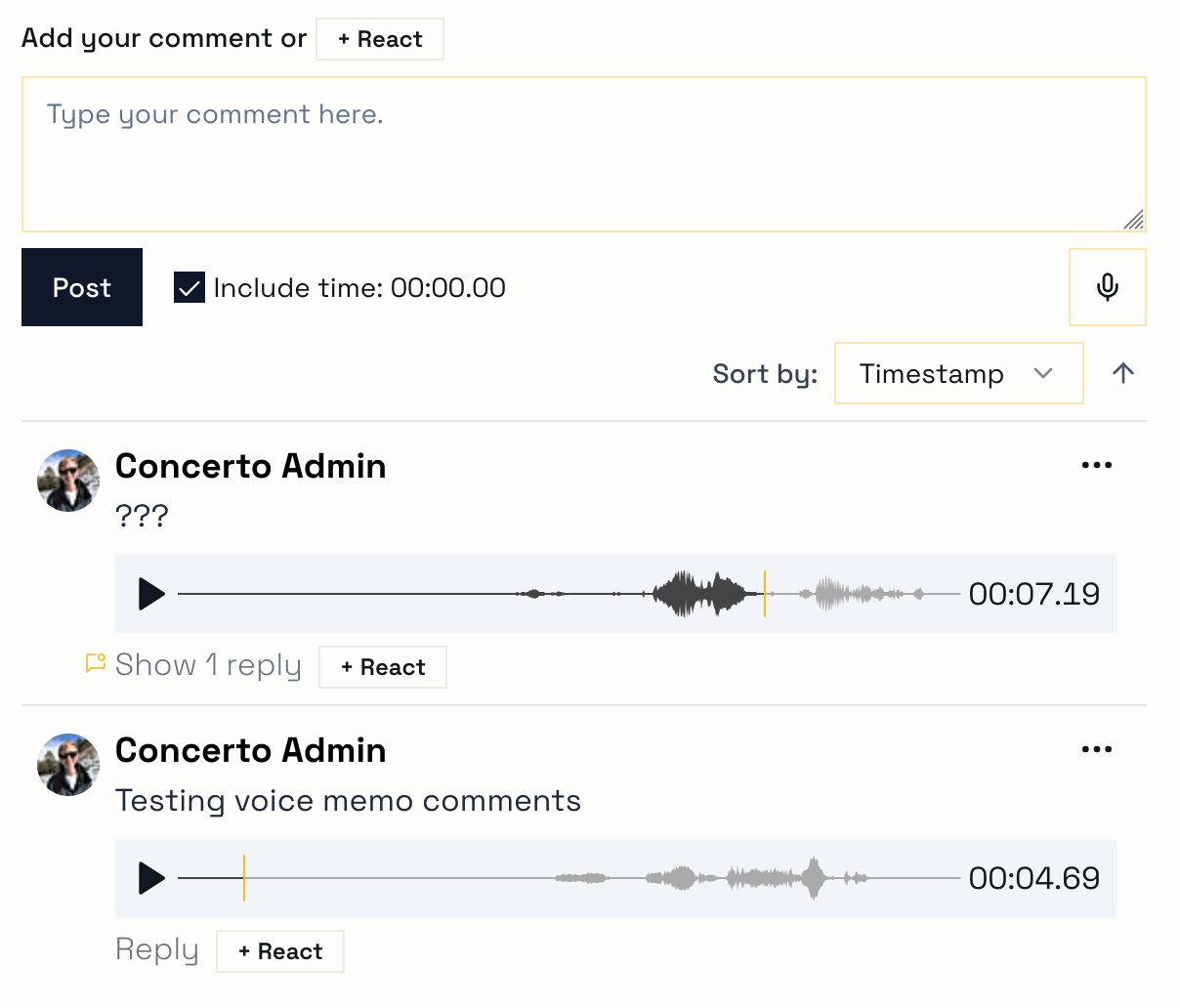
Feel free to reach out at any time with bug reports, feature requests, delightful experiences, and sharp edges. As always,
Happy creating!
The Concerto Team
Hey collaborators, contributors, and concertmasters!
Ever want to workshop the visual identity of your album before it goes live? Obviously! Well you can now add album art to your projects in Concerto.
Navigate to a project that you own are are an editor on, then enter edit mode by clicking the pencil icon
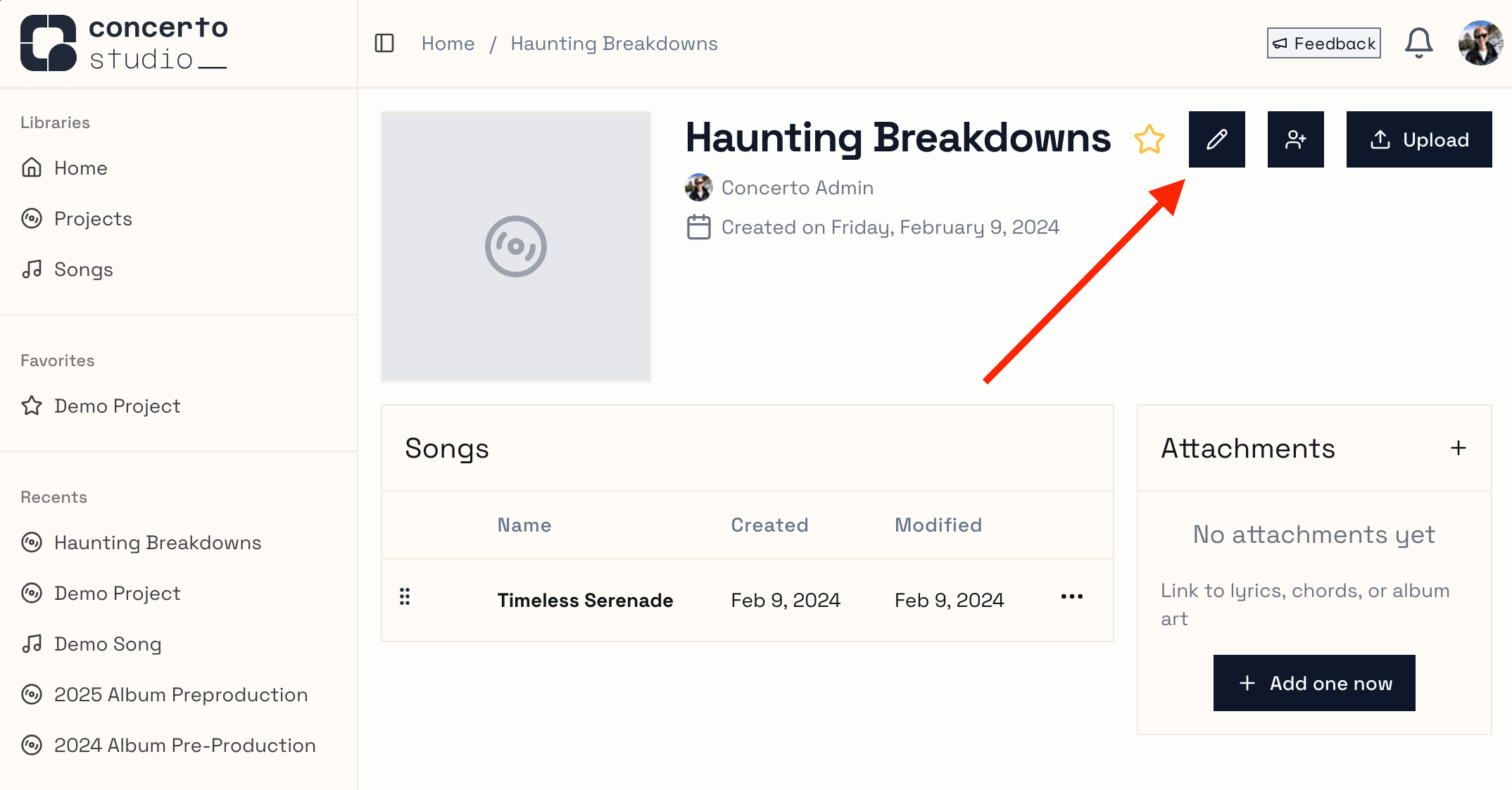
From here you can click the Add button to select an image file. Be sure to save when you're done by clicking the check mark!
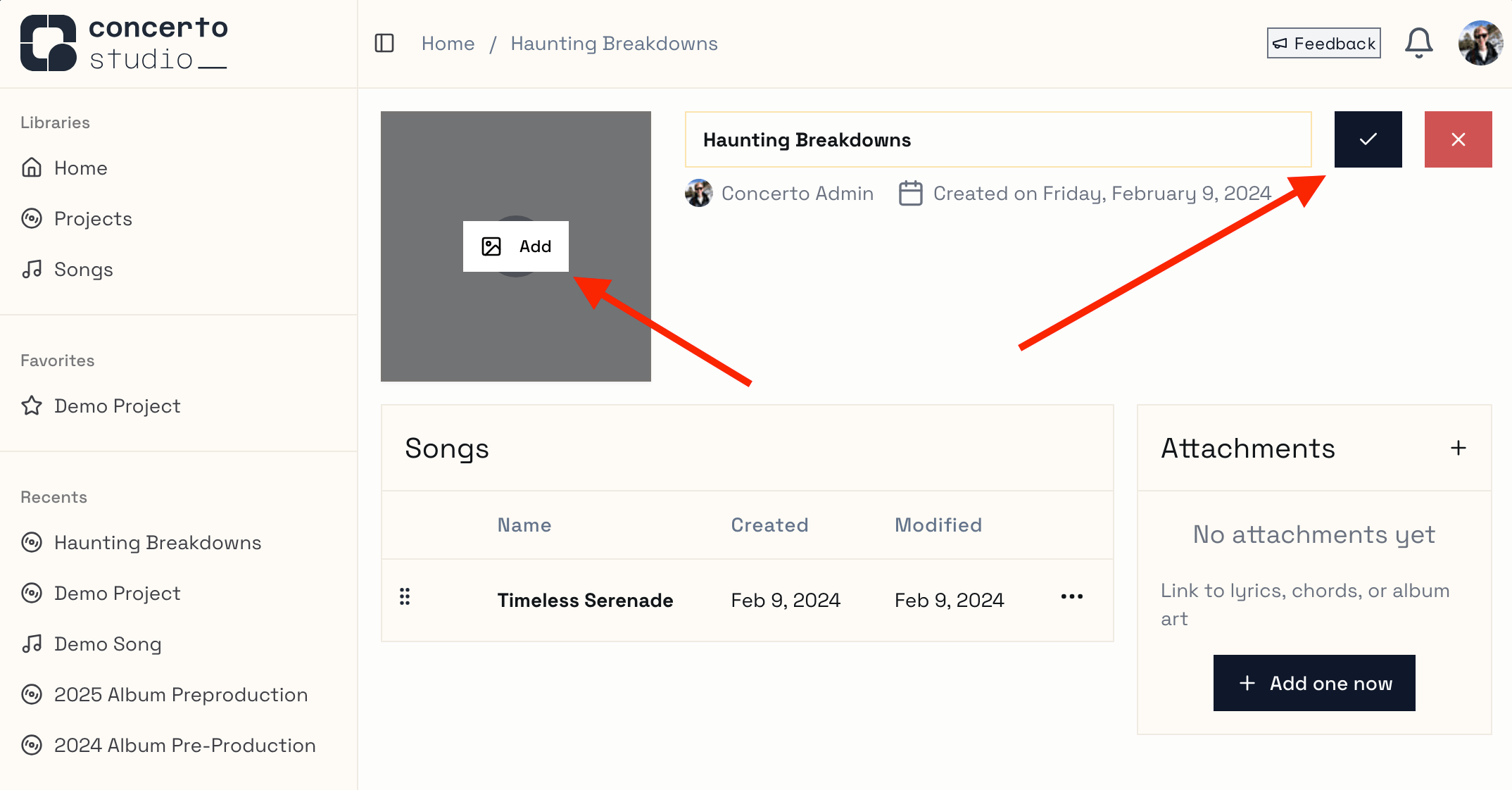
Once you have added album art, you can replace it or remove it at any time.
Other changes
We've been hard at work making concerto safer, faster, and easier to use. Here's a rundown of the latest:
Recents and Favorites are now synced to the server - that means you'll see the same items on any machine you log in on!
Favorite projects have a more prominent and visually appealing spot on the home page - it's easier than ever to jump right back in to your flow.
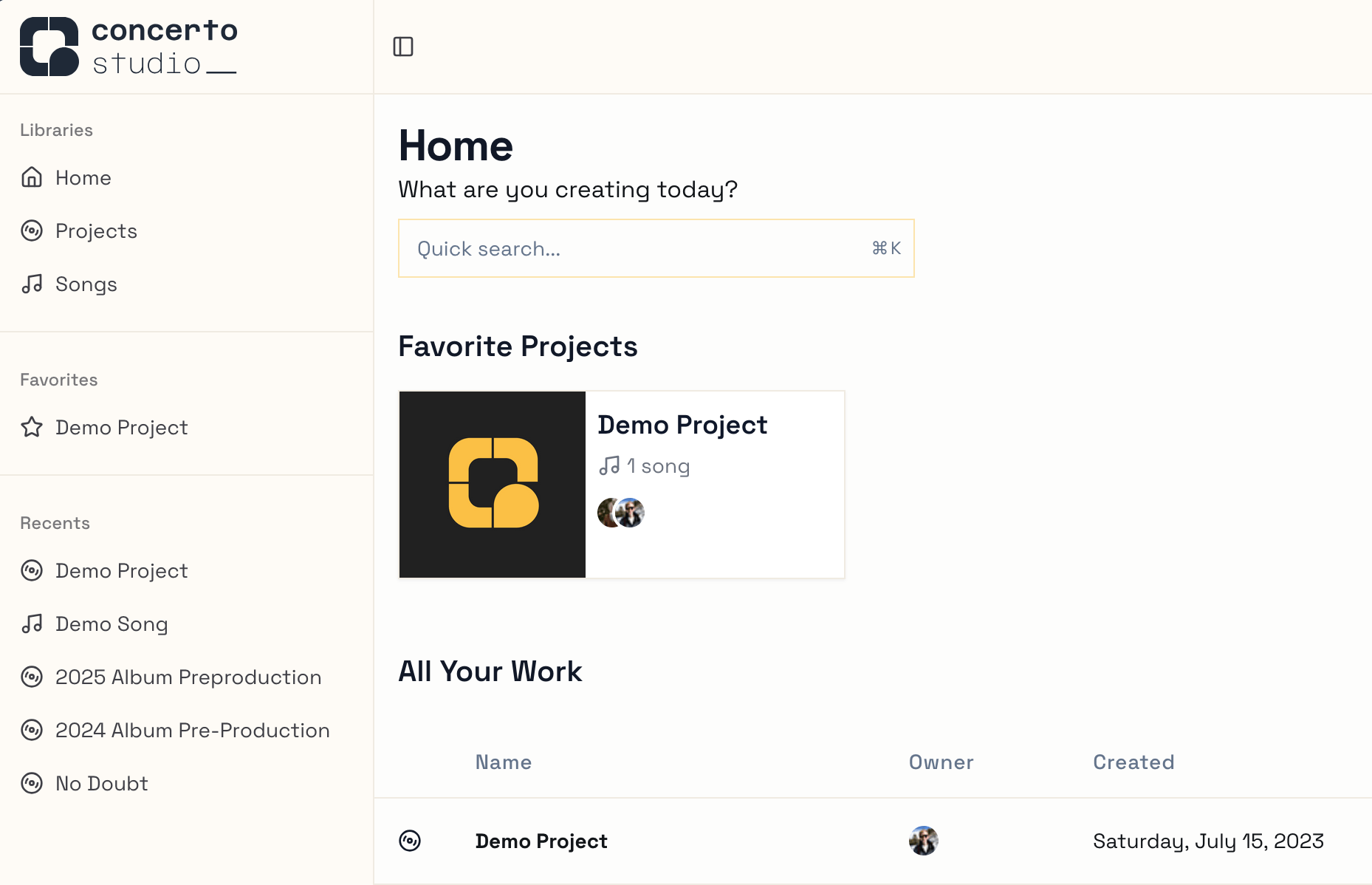
System theme was improved - head to Settings to select your preferred theme.
Systemis responsive to your browser and operating system settings.Multiple infrastructure components were reworked or retired, decreasing latency and increasing stability - everything should feel a little faster now.
The permissions system was reworked - still the same data, but made more granular and ergonomic for development. You'll see this in the action menus available across the app.
The changelog (this changelog!) is now visible at https://concerto.studio/changelog instead of only at a 3rd party site.
Hello songwriters, producers, and musicians!
Good news:
You can now add Attachments to projects and songs.
Attachments can be either links to external resources (Google Docs, Dropbox, etc.) or raw files (chord chart pdfs, album art, etc.).
As this is the first iteration of this feature, please let us know your thoughts and ideas!
Only Editors and Owners may add attachments, but any viewers may view or download them. Find the Attachments card on any Project or Song page!
Happy Creating,
The Concerto Team
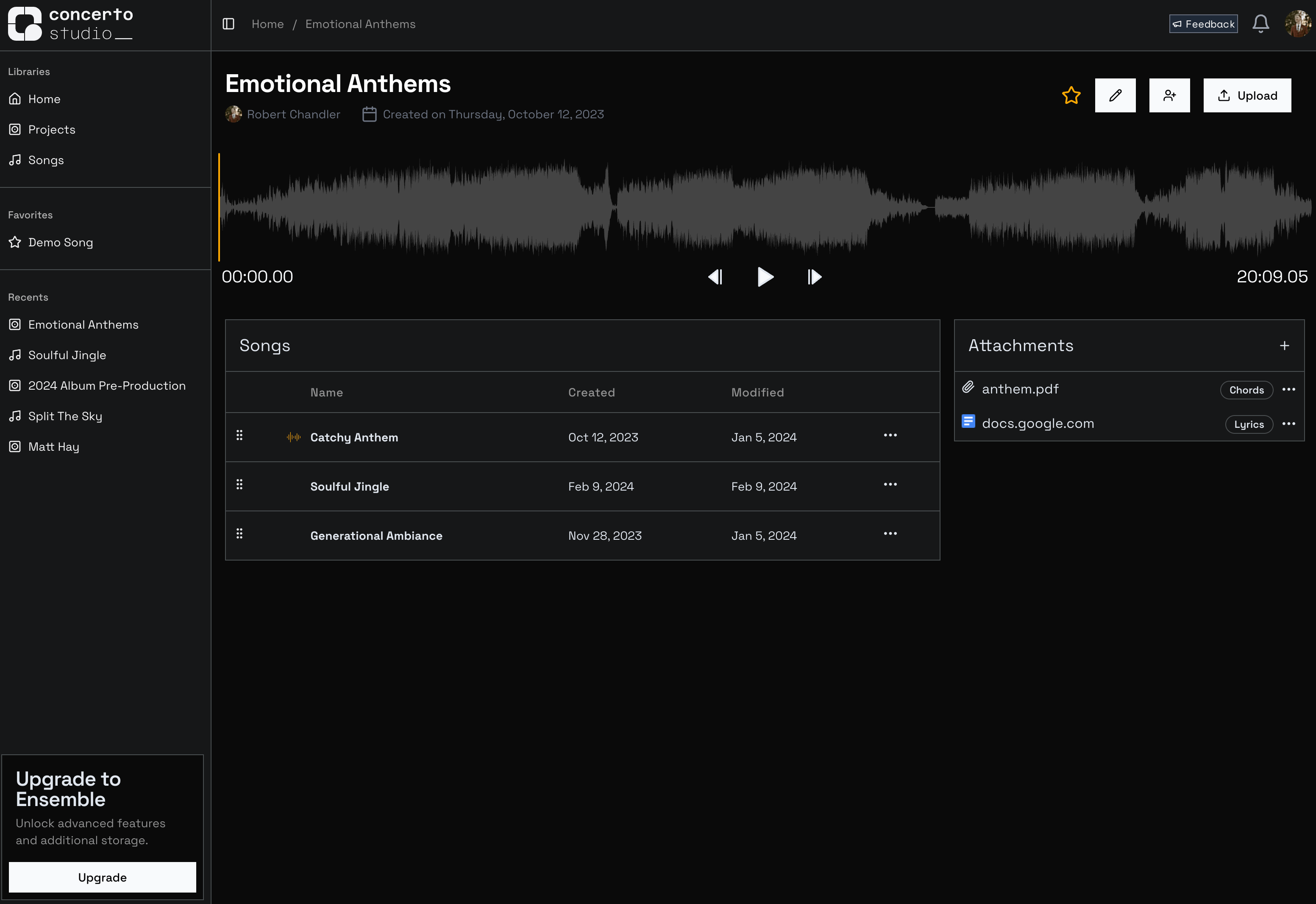
Hey Concerto users!
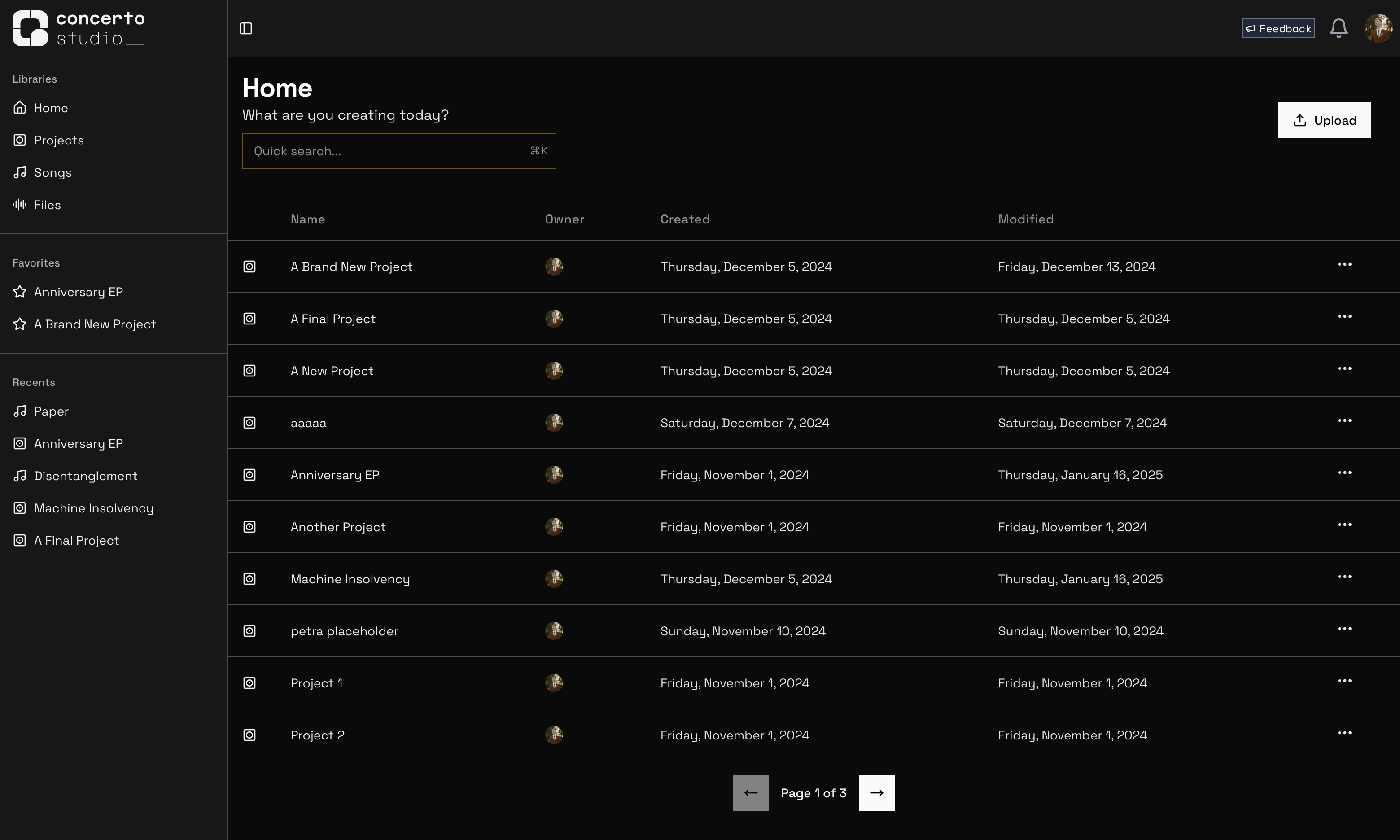
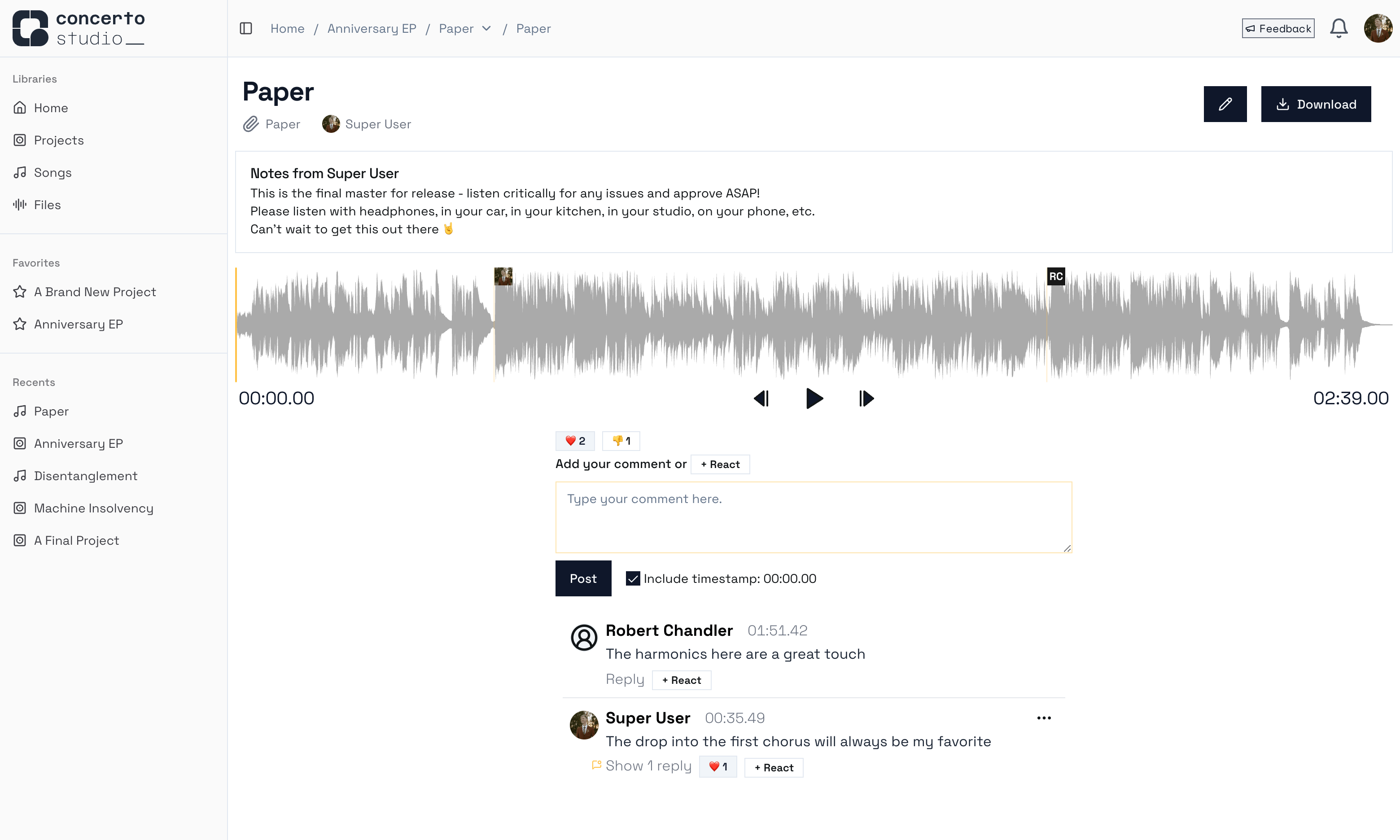
We just spent the last 3 months rewriting the entire user interface on the app. It's nearly a 1:1 match with the old, but with 💅 polished edges, ✨ smoother experiences, and 👨💻 easier development. These changes are all part of the effort to help you bring you audio projects to life through collaboration.
The logo and branding for Concerto has also been updated. We're not married to it, but definitely feel like it's a step in the right direction 👣
Let us know what you think of the new look!
This update also makes it easier to get to the app: Concerto is now available at concerto.studio. The old address, app.concerto.studio, redirects to the simpler url, as does www.concerto.studio. Don't forget to update your bookmarks!
Happy Creating,
The Concerto Team
P.S.
⬇️ Check out the new look below ⬇️ and log in to see for yourself!
Hello!
Thank you for your patience during extended time away from developing Concerto Studio.
I'm back and shipping updates that will make it even more of a joy to collaborate on the platform 🎉
New File Upload Flow
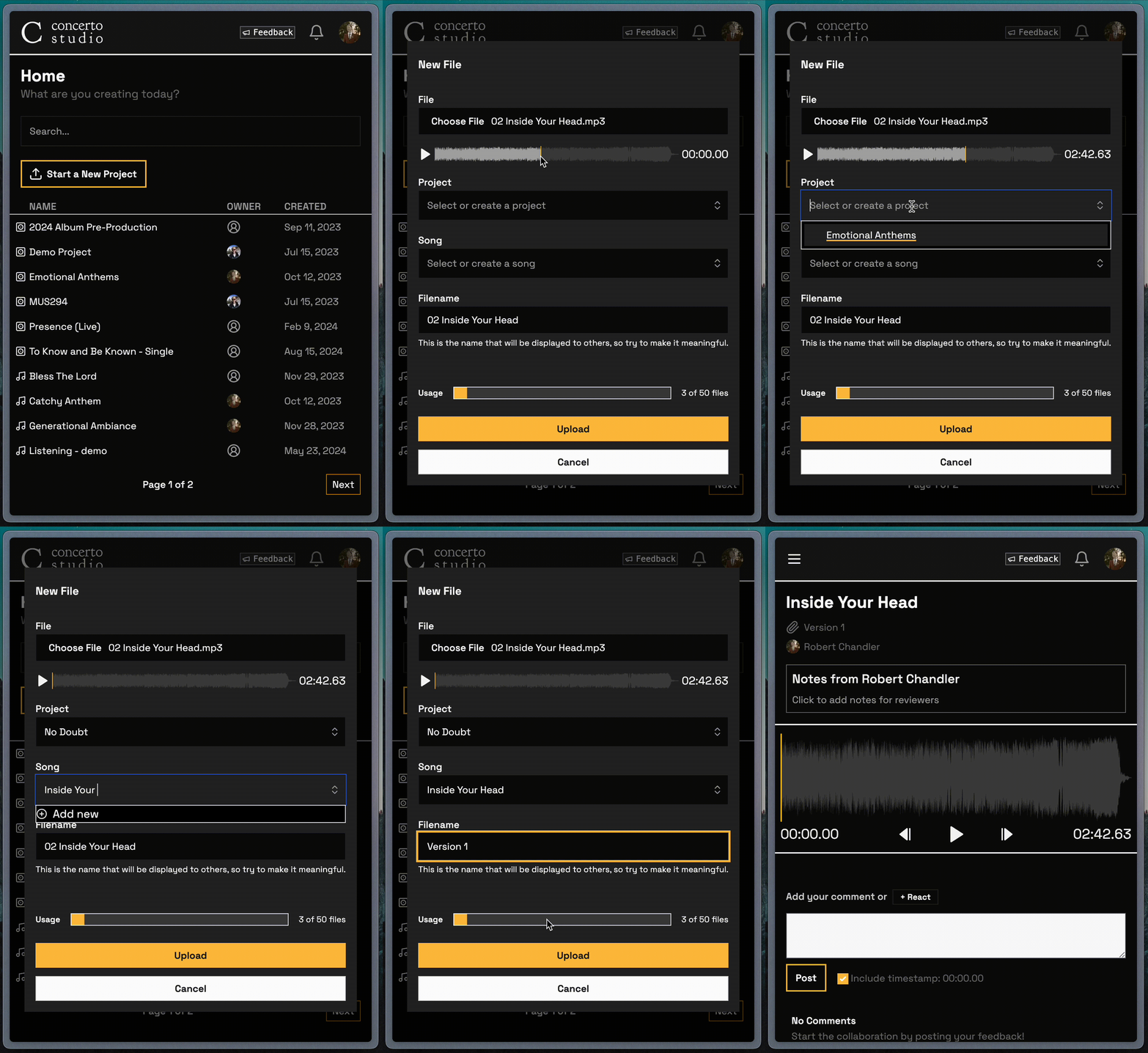
The File Uploader has been reworked! You can see the new features in the demonstration above.
Inline Audio Preview: Double check that you're uploading the right file by giving it a quick listen right inside the uploader.
Simpler Project and Song Selection: As always, the corresponding Project and Song are pre-selected if you open the uploader from an existing page. Now, you can change your selection to an existing project with a simple dropdown listing available projects. Once you've selected a project, the Song dropdown populates with the songs from that project! If you ever need to create a new project or song, just type a new name and hit Enter.
Automatic Navigation: Once your file successfully uploads, the uploader now takes you directly to that file's page. Here you can add notes or go ahead and leave the first comments. Hopefully this saves you a few clicks!
Older changes
6 months ago, a flurry of changes were added to support an album release. They never got any change notes, so I'll mention them here!
Redesigned UI: If you haven't opened Concerto in a while, check out the homepage. There's now a nifty sidebar that tracks your recent projects and songs, and you can save favorites for easy access.
Reactions: You can react to comments and files with emoji! Just hit the ➕ icon and select the closest match to your awe at your friends' musical mastery or insightful feedback.
Playlists: In Project view, the player now plays through the latest version of each song in order! Use this to give your album a full listen-through before sending it off to the presses 💿
Thank You!
As always, continue to enjoy Concerto and give feedback as quickly and as often as possible. We want to remove every obstacle from collaborating on music.
Happy Creating,
The Concerto Team
Comments have been improved! Check out our latest additions:
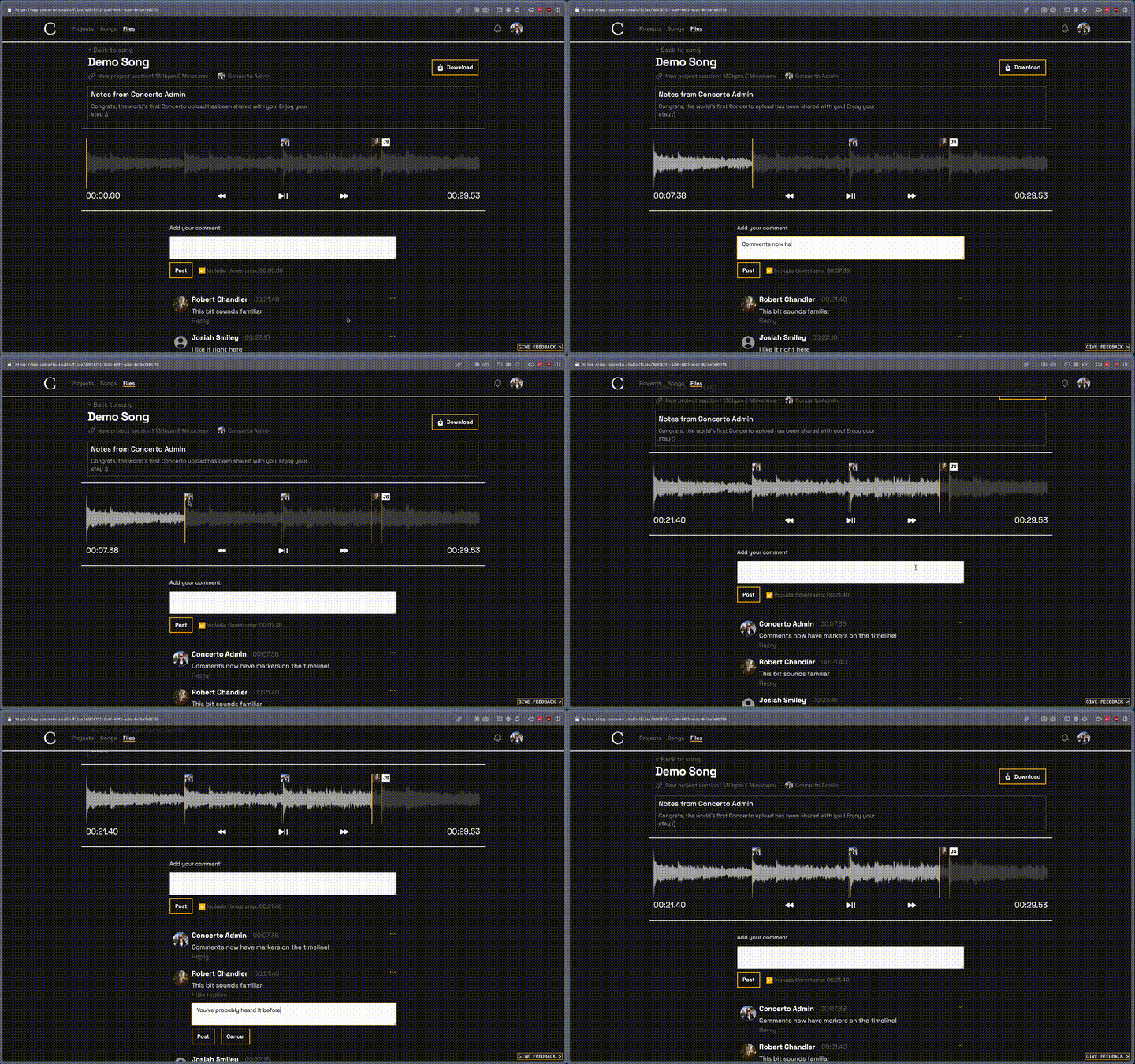
Comment Markers
Comments with timestamps are now marked on the timeline. This is useful for quickly referencing the feedback that led you to a specific timestamp.
Remember you can always click the timestamp next to a comment to bring the playhead straight there. Markers are useful for the opposite direction - going from playhead to comment.
Threaded Replies
Sometimes you need some clarification on feedback, and replies are the perfect place to do that without cluttering the rest of the comments section. Hit "Reply" under any comment to write a message that will only send notifications to the original comment owner and anyone else in that comment chain.
Stay tuned
This is just a small sample of the changes coming down the pipeline.
We are increasing the velocity of shipping features so that Concerto can be most useful for you.
As always, stay tuned for more improvements coming soon!
Happy Creating,
The Concerto Team
We believe that Concerto is a truly useful tool that will streamline many artists' processes.
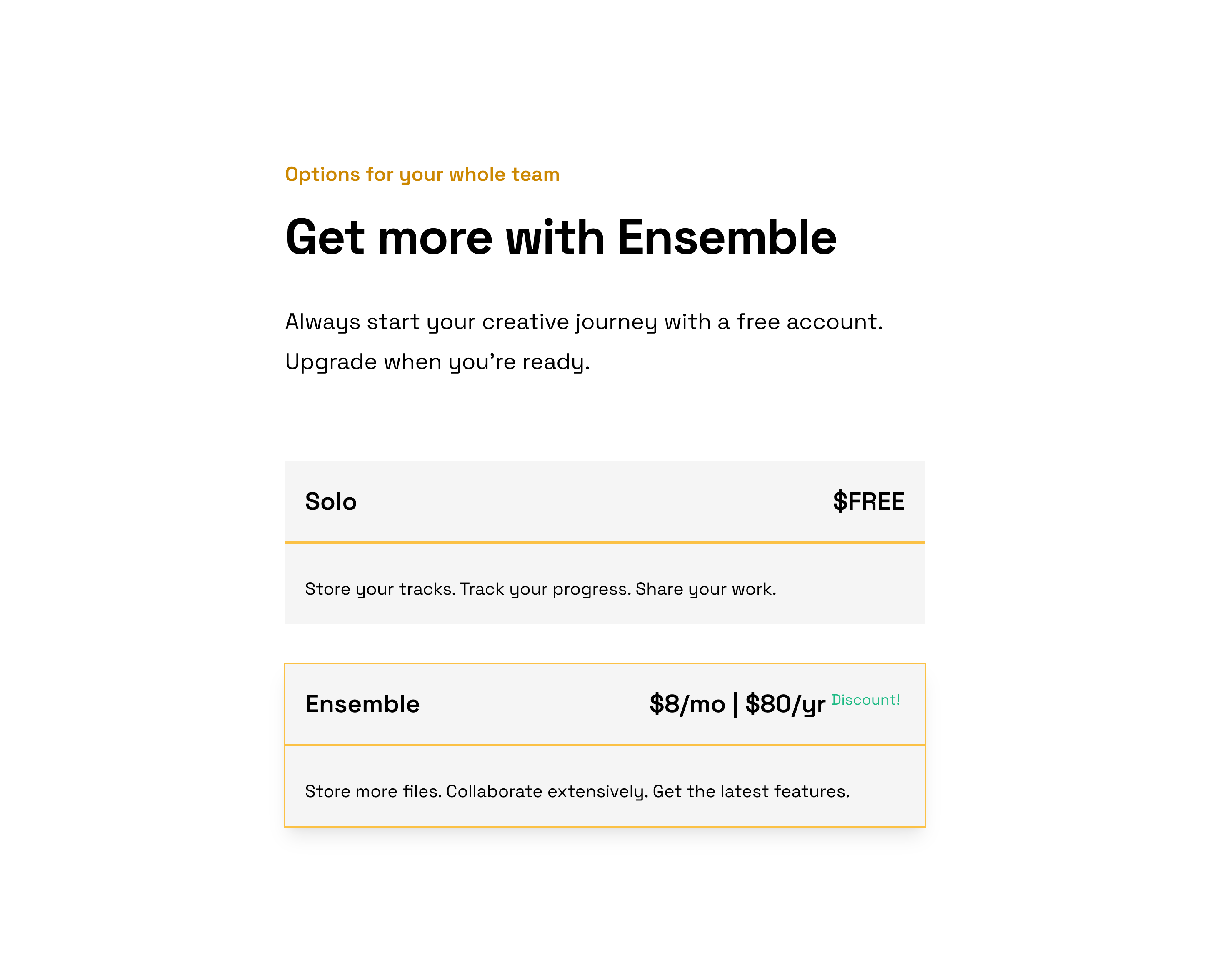
That is why we believe that the public launch of Concerto requires a paid tier of service.
Read on to find out what this means for us!
Concerto will always be free
Let's start simple: Concerto will always have a free tier. Right now it's called Solo.
It's impossible to judge how a tool will fit into your workflow until you try it out, so we want to give everyone ample opportunities to find how Concerto can work for them. We are so committed to this ideal that it's impossible to pay for Concerto until you have made a free account. Try it out! Poke around! Invite collaborators! If it doesn't fit your workflow or solve any of your problems, you can walk away without ever having shared your credit card info 💳
The free tier is limited, and those limits will certainly change over time, but it will always be useful.
You can pay to use Concerto
For power users, Concerto now offers a paid tier called Ensemble. Ensemble includes more storage, a higher level of support, and, in the future, some fun new features ✨
The revenue from Concerto subscriptions goes toward its ongoing maintenance and development. All purchases are processed through Paddle, a popular industry payment provider for software products.
Users of the closed alpha can subscribe to Ensemble now for 100% off. Use the code ---------- at checkout. Thanks for your support and feedback, alpha testers!
Stay tuned
As always, stay tuned for more in the coming months, and leave feedback here in Canny for ideas, requests, and bug reports.
This is only the beginning.
Happy creating,
The Concerto Team
Get Ready.
We've overhauled the user interface in the first draft of what will be Concerto Studio v1.0.
We've also begun some performance optimization on the backend that will make every interaction with Concerto 🤌 that much smoother 🤌.
We believe that Concerto is nearing readiness for the world. We'll always have features to add and experiences to improve, but Concerto was made to be a tool for musicians, and that can never happen if nobody is using it! Stay tuned to see our plans for Concerto Studio v1.0...
So how does this update affect your experience on Concerto?
Let's walk through the latest update to see the 4 most impactful changes:
🏡 Redesigned Home Page
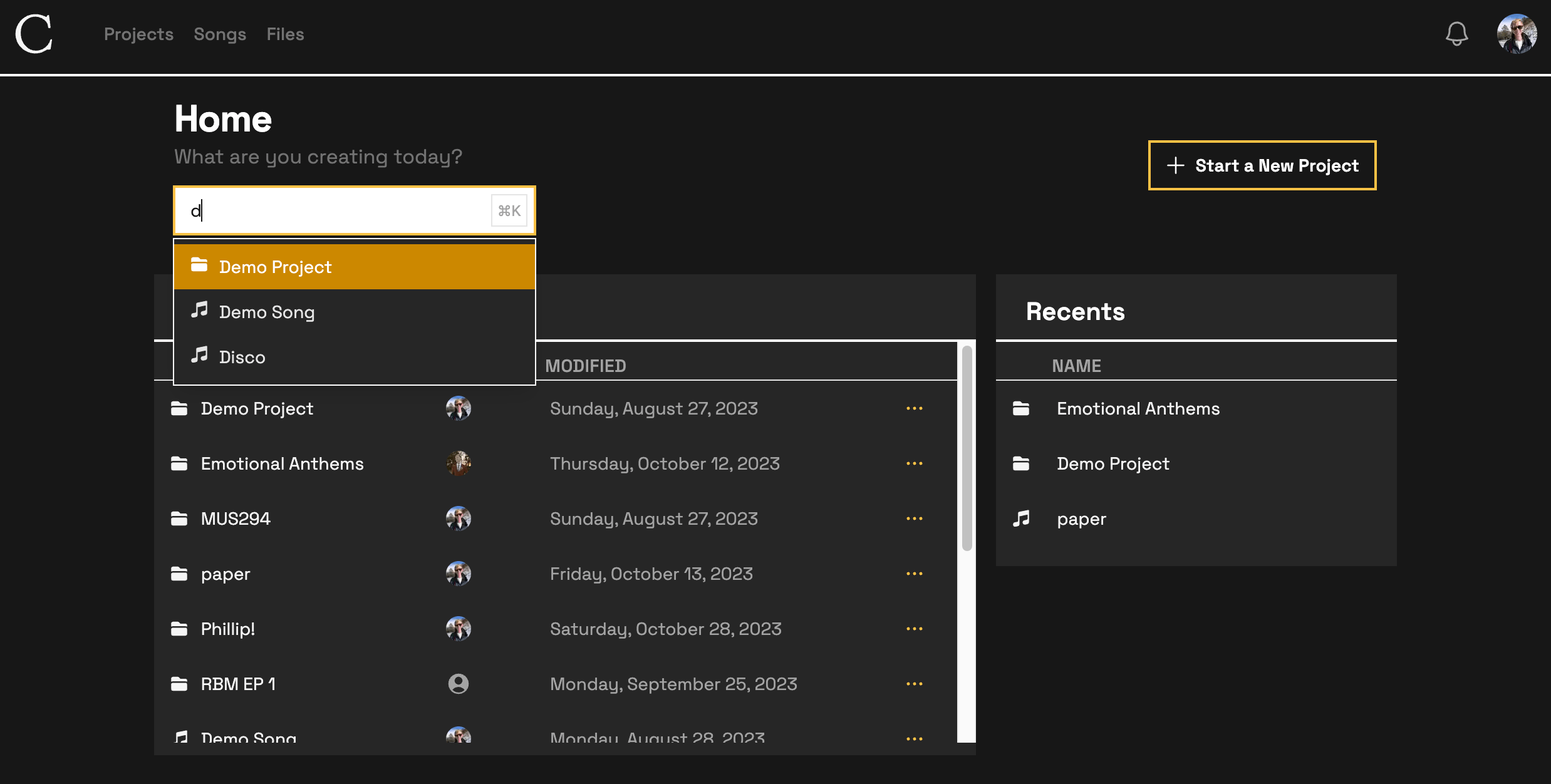
The new home page is designed to get you straight to what you are looking for as quickly as possible. Use the search bar to navigate directly to the song you're looking for without ever touching your mouse. Easily see what you've viewed recently so you don't have to scroll through your many WIP's.
🌠 Preserved spacing in notes and comments
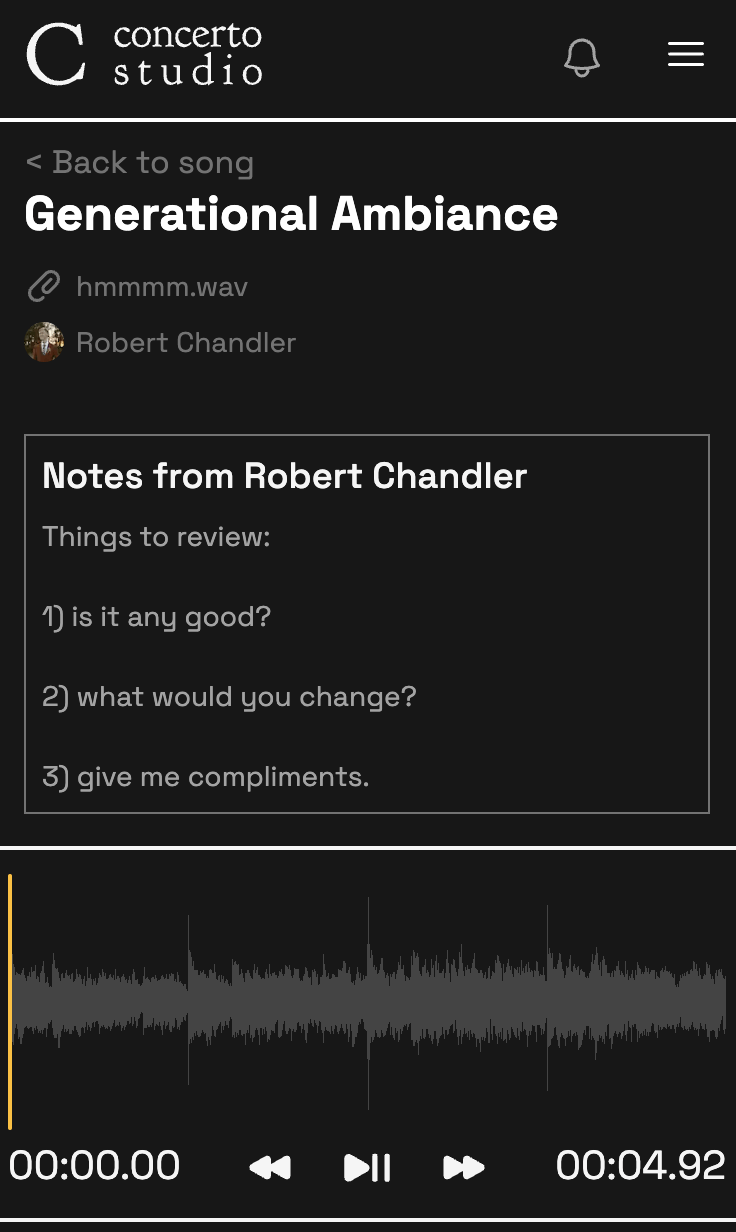
Communicate more clearly by
giving
things
space
in owner notes and feedback comments!
📁 Drag-and-drop upload
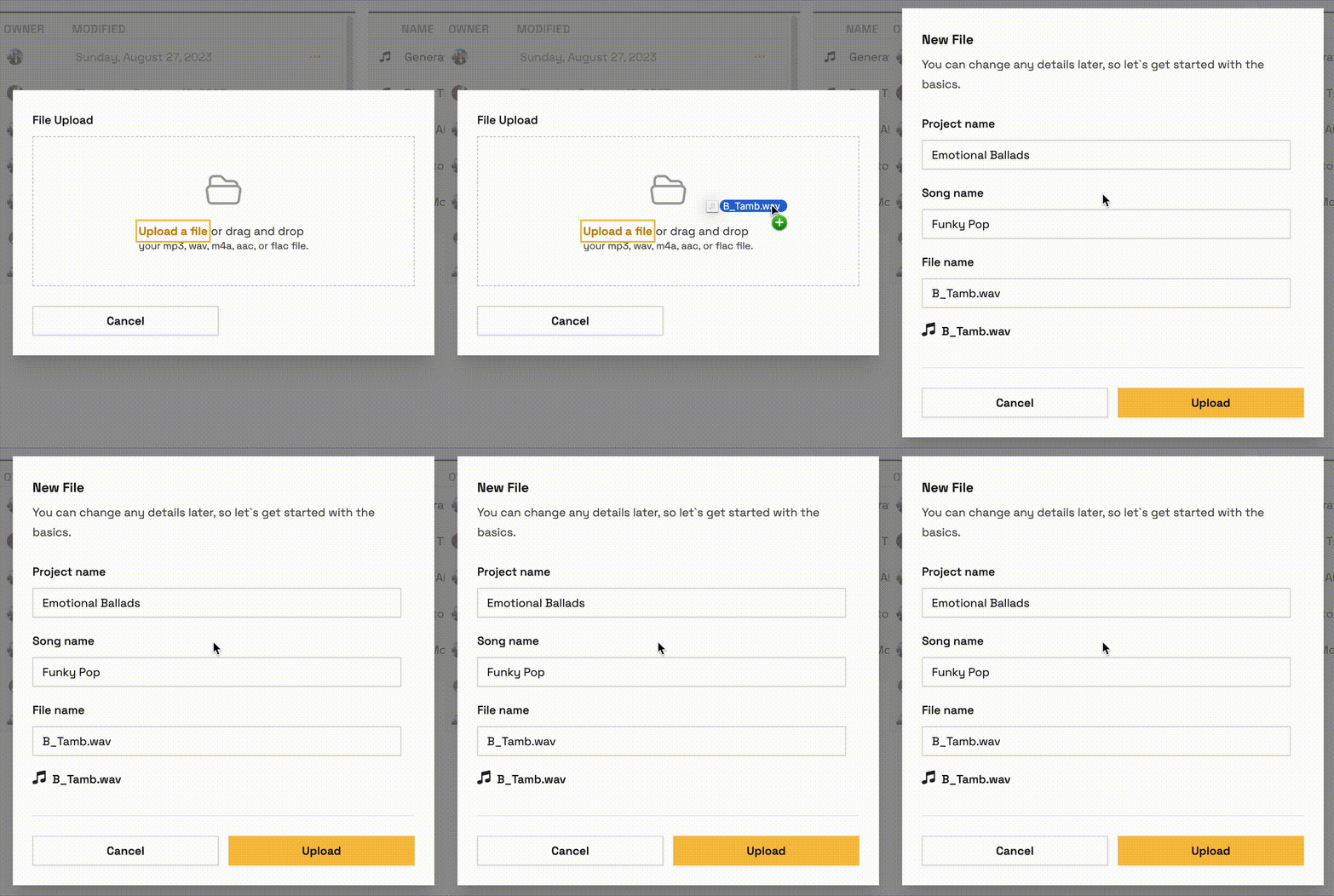
We're not sure if this ever worked before... but it does now 🎉
🎵 Redesigned Song Page
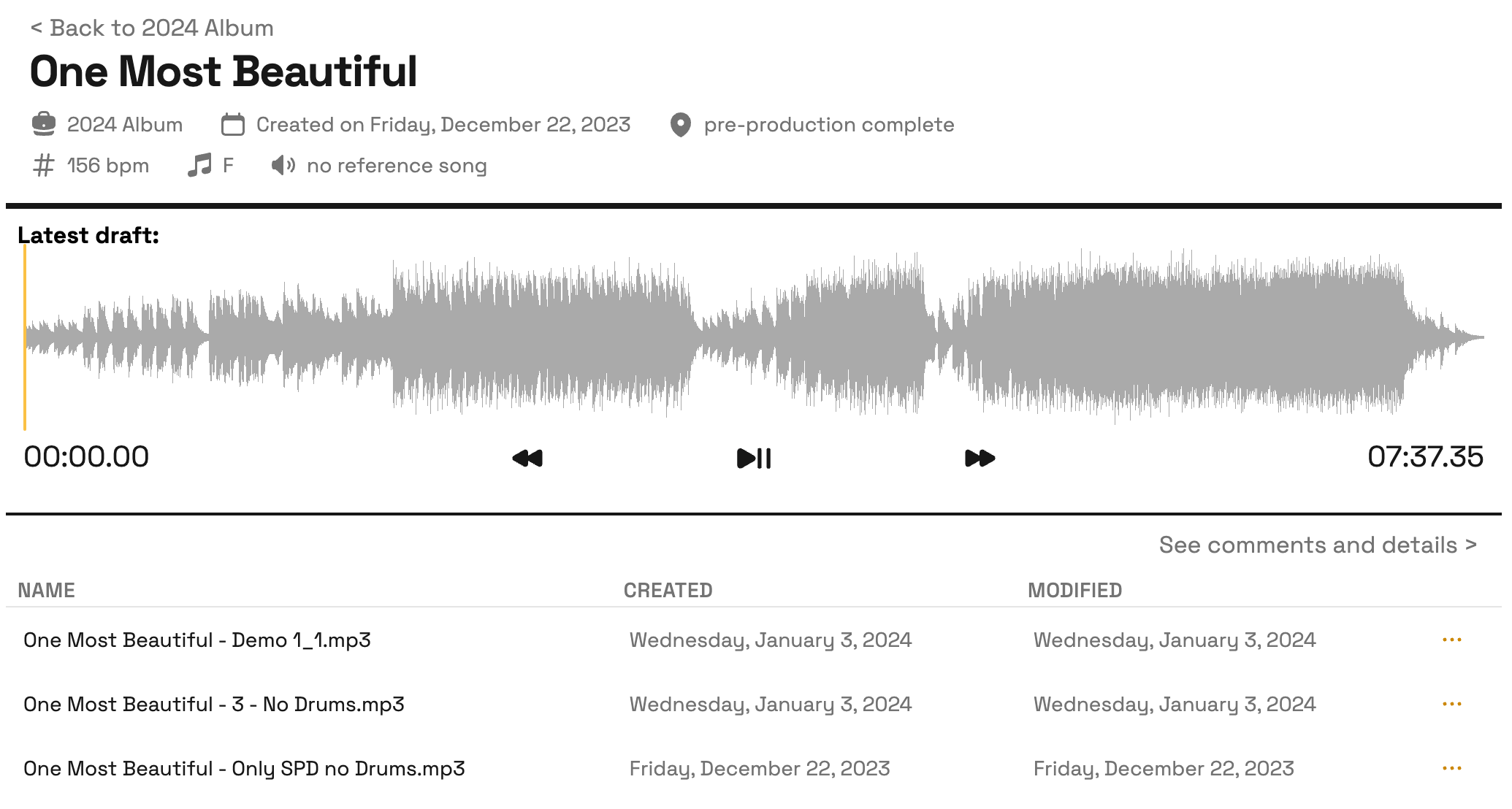
What is a song but its most recent version? The song page now features a player for the most recently uploaded version of the song. To view its comments and notes you still need to view go to the file page, but the new design makes it easy to hear the latest draft. You can always navigate to older versions from the list below.
As always, give feedback in Canny for any bug reports or feature requests, and happy creating!
Hello!
The latest update to Concerto is primarily bug fixes, but there are some notable UI changes we wanted to make you aware of.
These changes are entirely cosmetic as the server always ensures resource permissions before committing any actions or changes.
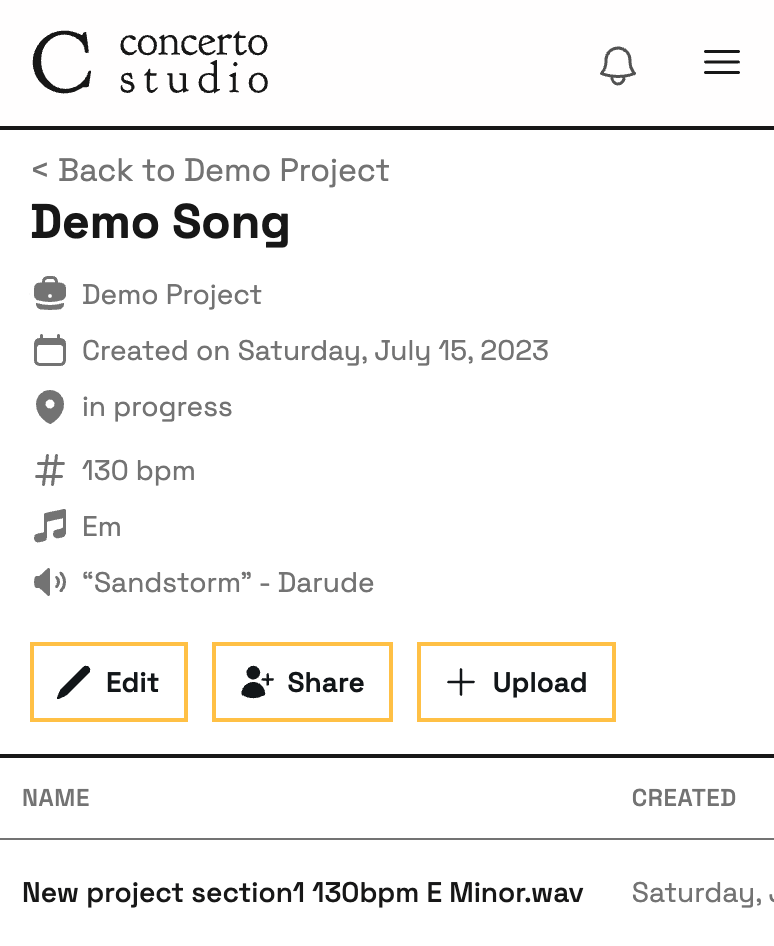
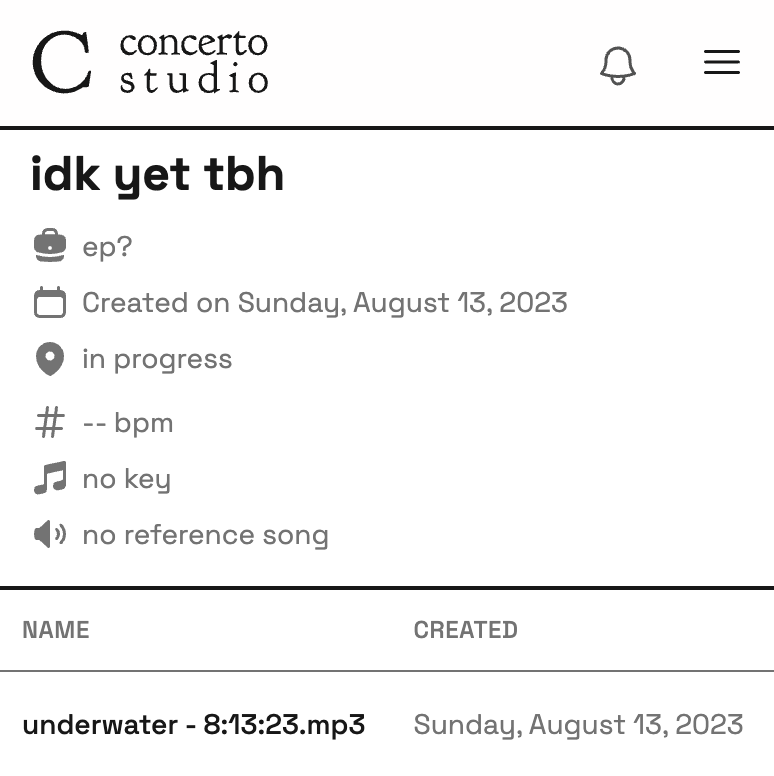
Primarly, the UI is now permission sensitive. That means if you are viewing a song and don't have access to the project that contains it, there is no link visible to navigate to it. Furthermore, if you're viewing a project or song for which you only have View permissions, there is no option to upload a new file.
With permission:
Without:
Notifications
Notifications are finally here! Currently the scope of notifications is limited to give us the chance to fine-tune what you want to be notified about. Right now, you'll be notified when:
Someone shares project or song with you
Someone comments on a file that you uploaded
Someone uploads a new file into a song that you own
We will expand notification events and make them more customizable in the near future.
Find your latest notifications under the bell icon by the settings menu.
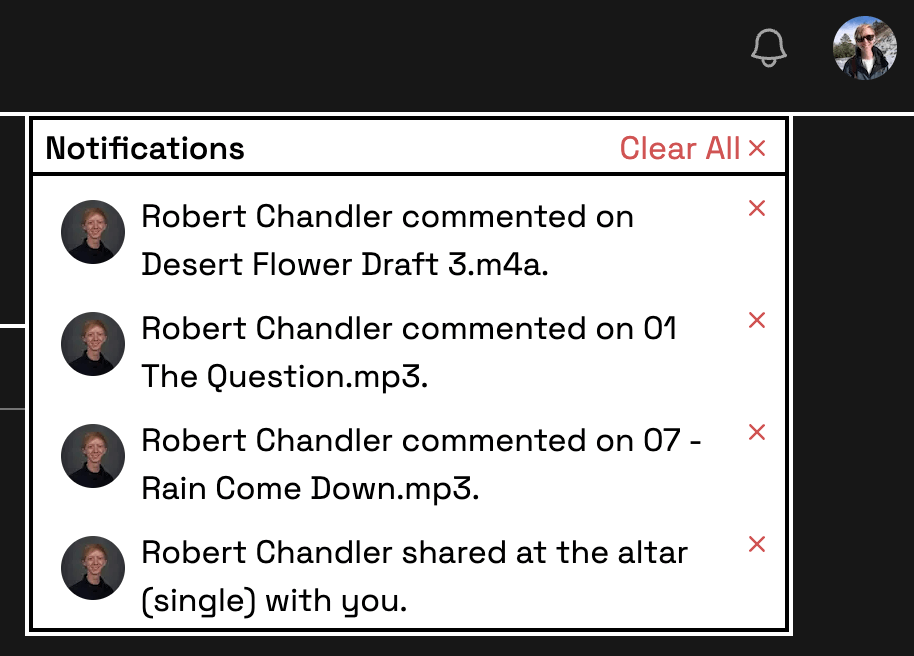
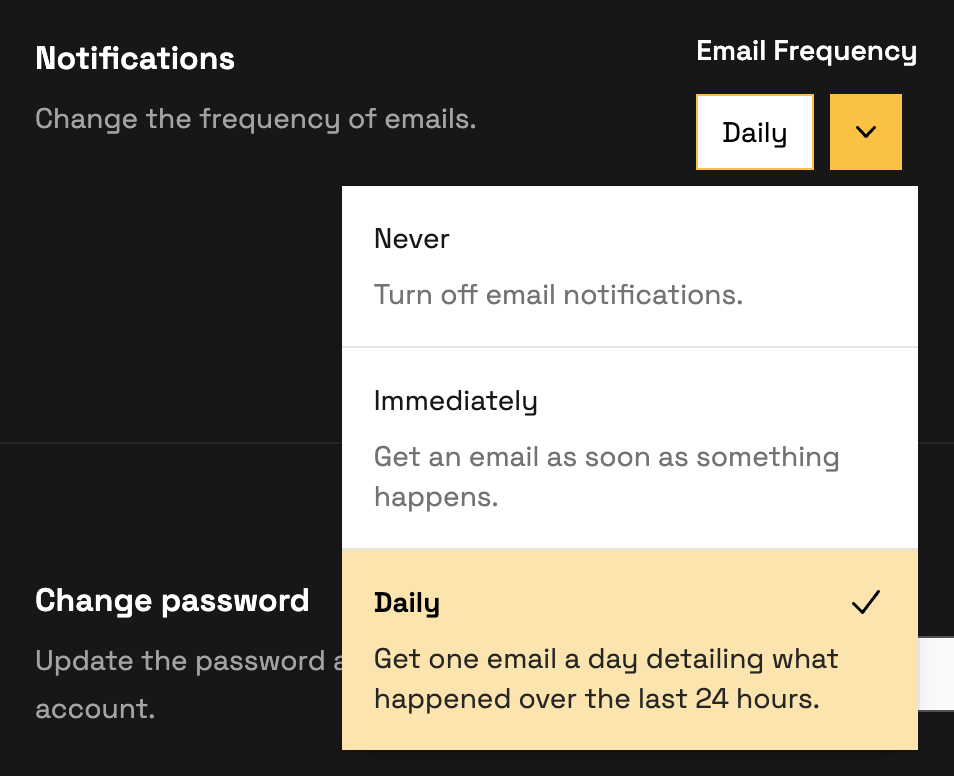
Speaking of the settings menu, that's where you can go to change your preferences on email notifications. By default, you will get one email daily with a summary of all your notifications from the last 24 hours. You can opt to get emails immediately, or not at all. Want more options? Let us know in the comments :)
Also in this release
Many visual improvements and bug fixes
The backend webserver was migrated to a new provider - this may lead to some noticeable latency, which we are looking to address shortly.